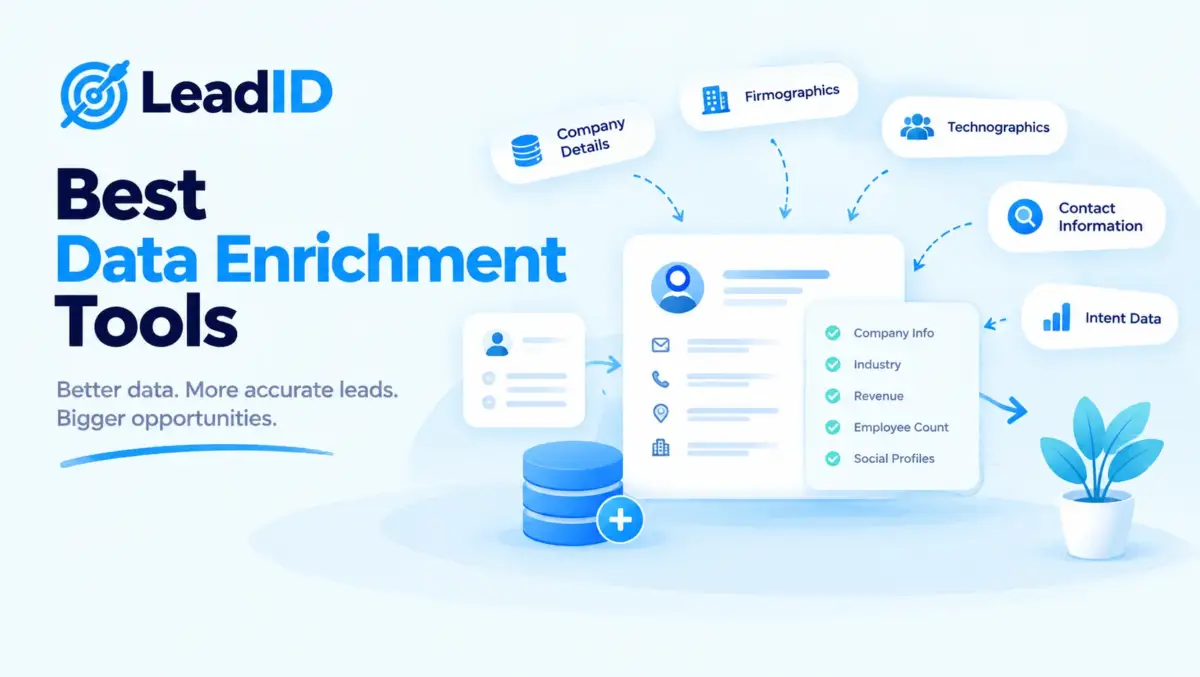
The best data enrichment tools are the quiet engine behind every top-performing B2B outbound program in 2026. Prospect names and company domains are the raw inputs; verified emails, direct phone numbers, firmographic depth, technographic signals, and intent data are the enriched output that turns a 3% median reply rate into 15%+ on identical send volume.
Below is the 2026 lineup, 15 platforms ranked by what each actually does, honest pricing, who fits best, and where each one quietly falls short. Every tool pulls from a different mix of B2B data providers under the hood, which is why coverage, accuracy, and compliance vary sharply across the category.
Key Takeaways
What Data Enrichment Actually Does In 2026
Data enrichment is the automated process that takes a thin input (usually a name, email, or company domain) and returns a complete profile pulled from a vendor database and live web sources. One record walks in with three fields; the same record walks out with forty, including verified work email, direct dial, LinkedIn URL, company revenue band, employee count, tech stack, and recent trigger events.
The practical consequence is that reply rate stops depending on list size and starts depending on list quality. Teams running an un-enriched 10,000-contact list often reply below 3%; the same team on a 2,000-contact enriched list clears 15%, because the smaller list is targeted and personalized by signal.
What has shifted in 2026 is the economics. Waterfall enrichment, which cascades a lookup through 5 to 15 providers until a match lands, now hits 85 to 98% email match rates on real B2B lists; three years ago the same lookup capped near 60%. Match rate is the single number that justifies the tool’s price.
4 Types Of Data Enrichment Every Buyer Should Know
Not every data enrichment tool covers all four types. Picking a vendor without knowing which type you need is the single most common buying mistake, and the one that drives most “we switched tools after six months” complaints.
Contact enrichment. Returns verified work email, direct dial, mobile number, LinkedIn URL, job title, seniority, and tenure. This is the baseline most buyers mean by “enrichment”, and it is the one where coverage varies most by region.
Firmographic enrichment. Returns company revenue band, employee count, industry taxonomy, HQ address, funding history, and parent-subsidiary relationships. Useful for ICP scoring and account-based routing, which is why marketers lean on it harder than SDRs.
Technographic enrichment. Detects the tools a target company runs: CRM, email platform, analytics, security stack. Powers displacement plays (“we noticed you still run X”) and compatibility messaging in equal measure.
Intent and behavioral enrichment. Flags accounts researching your category based on content consumption, search patterns, and third-party anonymized web traffic. The strongest signal in the stack, and the most expensive to source cleanly.
Best Data Enrichment Tools Compared (Quick Table)
Fifteen tools ranked by starting price, strongest data type, and the ICP each one fits best. Deeper sections for every tool follow the table.
| # | TOOL | STARTS AT | STRONGEST DATA | BEST FIT |
|---|---|---|---|---|
| 1 | Clay | $185/mo | Waterfall contact + firmographic | Custom workflows, RevOps teams |
| 2 | Apollo.io | Free; $49/user/mo | Contact + light intent | SMB and mid-market all-in-one |
| 3 | ZoomInfo | ~$15,000/yr | Enterprise contact + intent | Enterprise sales with budget |
| 4 | Cognism | ~$12,000/yr | GDPR mobile numbers | EMEA + compliance-first teams |
| 5 | Clearbit (HubSpot Breeze) | Add-on, custom | Firmographic + website visitor | HubSpot-native GTM teams |
| 6 | UpLead | $99/mo | 95% verified contact | SMB wanting accuracy over volume |
| 7 | Lusha | Free; $49.90/mo | Direct dials via Chrome | Fast individual prospecting |
| 8 | Snov.io | Free; $39/mo | Email + light outreach | Solo and SMB bundling send + find |
| 9 | Hunter.io | Free; $34/mo | Email pattern discovery | Email-finding specialists |
| 10 | People Data Labs | Free; from $0.01/record | Raw API-first data | Engineering-led teams |
| 11 | Lead411 | $75/user/mo | Intent + growth triggers | Mid-market intent plays |
| 12 | RocketReach | $39/mo | Contact finder + export | Recruiters and researchers |
| 13 | Kaspr | Free; $65/mo | LinkedIn-sourced contact | LinkedIn-first SDR teams |
| 14 | Datanyze | $29/mo | Technographic snapshot | Budget technographic lookup |
| 15 | ContactID | $0.15/success | Activation of enriched data | Reaching inboxes that reject email |
1. Clay
Clay is the programmable workbench of the data enrichment tools category. Instead of shipping one fixed dataset, it chains a request through 150+ providers in a configurable waterfall and returns the first match that clears a confidence threshold. Rows run through user-built workflows that mix enrichment, AI research steps, custom scraping, and HTTP calls, which is why RevOps teams treat it less like a vendor list and more like a spreadsheet with superpowers.
A typical Clay table starts with a seed list of 500 target accounts, then adds columns one at a time: an enrichment call to find the Head of RevOps, a verification step, an AI research step pulling LinkedIn posts, and a webhook pushing qualifying rows into HubSpot. Setup takes a RevOps engineer about three hours per workflow and runs unattended afterward. For teams with the technical bandwidth, no other data enrichment platform returns comparable match rates on hard-to-reach segments.

Clay core features:
- Waterfall enrichment across 150+ connected providers
- AI research agents for LinkedIn posts, podcasts, and web sources
- HTTP, webhook, and custom API steps inside the same workflow
- Native CRM push to Salesforce, HubSpot, Pipedrive, Attio
- Credit-based cost model with per-column visibility
Clay pricing: Launch plan starts at $185/month for 2,000 credits; Growth at $495/month for 10,000 credits; Enterprise custom. Credits burn differently per column, so budget scales with workflow depth rather than seats.
Standout: Match rate on cold B2B lists routinely hits 85 to 98%, higher than any single-source vendor, because the waterfall catches what one provider misses.
Watch for: The learning curve is real. A non-technical SDR will not ship a working Clay table in week one, and credit costs balloon fast when AI research steps run across large lists.
Clay pros and cons:
| PROS | CONS |
|---|---|
| • Highest match rates in the category | • Steep learning curve for non-RevOps users |
| • Fully programmable workflows | • Credit model gets expensive at scale |
| • Active community sharing recipes | • No native sender, needs separate outreach tool |
2. Apollo.io
Apollo review details confirm it is the all-in-one entry in the data enrichment tools lineup, bundling a 275M contact database, enrichment APIs, native sequences, and dialer into a single platform at startup-friendly prices. One login finds the prospect, enriches the record, drops them into a cadence, and tracks reply rate without a second tool in the stack. Mid-market teams use it as the backbone of outbound; SMBs often never need anything else.
The free tier opens the full 275M-row search, 100 enrichment credits per month, basic sequences, and the Chrome extension. Lean teams closing deals under $10,000 annual contract value run entire quarters on this plan before paying anything, which is unusual among the data enrichment platforms in the category. Paid tiers add intent flags, verified email guarantees, and the dialer, which is where most mid-market teams eventually land.

Apollo core features:
- 275M contact database with 65 search filters
- Email verification, phone enrichment, buying intent flags
- Native multi-step sequences with A/B testing
- Chrome extension that pulls contacts off LinkedIn and company sites
- Native CRM sync to Salesforce and HubSpot
Apollo pricing: Free forever plan with 100 export credits/month; Basic $49/user/month annual; Professional $79/user/month; Organization $119/user/month with the full intent and sequence stack.
Standout: The free tier is unusually generous for a 275M-row database. Lean teams run their first 6 months of outbound without ever paying for enrichment.
Watch for: Data accuracy varies by region. North American coverage runs 70-80% verified; APAC and parts of Europe thin out below 50%, and support occasionally takes days to respond on paid tiers.
Apollo pros and cons:
| PROS | CONS |
|---|---|
| • Best free tier in the category | • Regional coverage gaps outside North America |
| • Enrichment plus sequences in one platform | • Interface complexity grows with features |
| • Fast CRM sync and open integrations | • Support response times vary on paid tiers |
3. ZoomInfo
ZoomInfo review context: it is the enterprise anchor of the data enrichment platforms market, carrying 320M+ contacts, proprietary intent signals, and the deepest firmographic coverage of any US-based vendor. Its enrichment runs continuously inside Salesforce and HubSpot via native triggers, which means a lead captured at 9:03am has a full profile by 9:04. Teams at Fortune 1000 scale default here because the data holds up under volume where cheaper vendors crack.
Two intent products do most of the heavy lifting: Streaming Intent flags companies researching your category inside 24-hour windows, and Scoops surfaces executive moves, project launches, and budget approvals pulled from internal company sources. Routing those signals live into Salesforce workflows is where the enterprise ROI shows up. Buyers typically prove payback inside two quarters when Scoops and Streaming Intent trigger SDR plays automatically.

ZoomInfo core features:
- 320M+ contact database, 100M+ companies
- Proprietary intent (Streaming Intent + Scoops)
- Workflows automation for lead routing and SLA
- Chat and web visitor identification
- Enterprise-grade API with real-time refresh
ZoomInfo pricing: Not publicly listed. Starting Professional contracts run around $14,995/year for 3 users and 5,000 credits; real mid-market deals land in the $25,000-$60,000/year band with intent and workflows included.
Standout: US phone coverage and intent data remain the deepest in the category. For enterprise accounts in North America, nothing else returns direct dials at a comparable hit rate.
Watch for: Opaque pricing, aggressive annual contract renewals, and a steep implementation learning curve. European coverage is noticeably thinner than Cognism’s, and the auto-renewal clause has caught many buyers off guard.
ZoomInfo pros and cons:
| PROS | CONS |
|---|---|
| • Deepest US phone and intent coverage | • Opaque, enterprise-only pricing |
| • Robust Salesforce and HubSpot integrations | • Thin coverage outside North America |
| • Scales reliably at enterprise volume | • Lengthy implementation and setup |
4. Cognism
Cognism review notes it is the EMEA-first entry in the data enrichment tools market, built around manually verified mobile numbers and full GDPR compliance across every European contact. Where US vendors scrape and hope, Cognism’s Diamond Data program re-verifies mobile numbers by hand, which pushes connect rates to 70%+ on European dials. Compliance teams at EU-regulated companies pick it specifically because the suppression lists cover all 27 member states plus the UK.
Diamond-verified contacts cover roughly 90% of C-level executives at EU-headquartered companies with over 50 employees. Suppression lists cross-reference DNC registries in all 27 EU member states plus the UK, Switzerland, and Norway before any export leaves the platform. For compliance teams at regulated industries (financial services, healthcare, legal), this is the one vendor that documents its methodology end to end.

Cognism core features:
- 400M+ profiles with GDPR, CCPA, and PECR compliance
- Diamond Data: human-verified mobile numbers
- Bombora intent integration
- Chrome extension for LinkedIn Sales Navigator
- Automated DNC list cross-check across EU
Cognism pricing: Not publicly listed. Platinum contracts start around $12,000/year for 3 users and unlimited views; enterprise land in the $30,000-$60,000 range with Diamond Data and intent included.
Standout: European mobile accuracy is unmatched. Diamond-verified contacts connect at roughly 2x the rate of standard scraped mobiles in the UK, DACH, and Nordics.
Watch for: Pricing is enterprise-level and not negotiable below a certain volume. US coverage is adequate but noticeably behind ZoomInfo on intent and depth of org charts.
Cognism pros and cons:
| PROS | CONS |
|---|---|
| • Best EU mobile and GDPR coverage | • Enterprise pricing with limited flexibility |
| • Human-verified Diamond Data | • US intent coverage trails ZoomInfo |
| • Automated EU DNC cross-check | • Narrow use case outside Europe |
5. Clearbit (Now HubSpot Breeze Intelligence)
Clearbit, rebranded as HubSpot Breeze Intelligence after the 2024 acquisition, is the data enrichment platform engineered around the HubSpot stack. Every lead, contact, and company captured in HubSpot auto-enriches with 50+ firmographic and contact fields the moment it lands, and website visitors get identified in real time for revenue team routing. GTM teams already standardized on HubSpot pick it almost by default; everyone else evaluates alternatives first.
A visitor identification module reverse-looks-up anonymous website traffic to a company name within 90 seconds, which drives real-time SDR alerts when a target account hits the pricing page. Standalone API access, originally the Clearbit value proposition, has shrunk considerably post-acquisition in favor of native HubSpot workflows. Non-HubSpot customers now get a thinner shell of the pre-acquisition product.

Clearbit core features:
- Real-time firmographic enrichment inside HubSpot
- Anonymous website visitor identification
- Buyer intent and ICP scoring
- Form shortening via progressive enrichment
- Workflow and reporting objects native to HubSpot
Clearbit pricing: Sold as a HubSpot add-on. Credits start around $30/month for 100 enrichments; realistic mid-market usage lands around $5,000-$15,000/year once visitor ID and intent are enabled.
Standout: Native HubSpot integration kills setup friction. Enrichment turns on with one toggle, and the enriched data lives in the same objects CRM reports already use.
Watch for: Phone number coverage is thin outside the enterprise tier. Non-HubSpot users get a dramatically worse experience than Clearbit’s original standalone product offered.
Clearbit pros and cons:
| PROS | CONS |
|---|---|
| • Zero-config HubSpot enrichment | • Lesser experience outside HubSpot |
| • Strong firmographic and visitor ID | • Phone data limited at lower tiers |
| • Form shortening boosts conversion | • Pricing visibility worse than pre-acquisition |
6. UpLead
UpLead review coverage positions it as the accuracy-first option among budget-friendly data enrichment tools, publishing a 95% verified-contact guarantee and refunding credits on any bounced email. Searches run against a 160M-profile database with 50+ filter options, and each exported record is re-verified in real time against SMTP. Mid-market teams tired of refund-request emails from ZoomInfo often land here on contract renewal.
Verification happens live at export time: every record ships with an SMTP ping confirming the mailbox exists at the moment of download. Teams that burned through $15,000/year ZoomInfo contracts without reaching their accuracy target routinely downgrade here for a quarter of the price. Credit refunds on any bounce enforce the 95% guarantee, which few larger vendors are willing to match.

UpLead core features:
- 95% verified email guarantee with credit refund
- 160M profiles, 108M companies, 50+ filters
- Chrome extension for one-click lookup
- CRM sync for Salesforce, HubSpot, Pipedrive, Zoho
- Technographic and intent data on higher tiers
UpLead pricing: Essentials $99/month for 170 credits; Plus $199/month for 400; Professional custom with intent and technographics. A 7-day free trial includes 5 credits.
Standout: Verification happens on export, not on refresh. A list downloaded Tuesday is 95%+ accurate Tuesday, which cannot be said of month-old scraped data from larger platforms.
Watch for: Advanced features (intent, technographics, bulk export at scale) are gated to the Professional tier only. Teams needing those features often end up at Apollo or Cognism pricing anyway.
UpLead pros and cons:
| PROS | CONS |
|---|---|
| • Verified-on-export accuracy | • Smaller database than Apollo or ZoomInfo |
| • Clear credit model and refund policy | • Advanced features behind top tier |
| • Fast CRM sync and simple UI | • Limited intent coverage |
7. Lusha
Lusha review details show it is the Chrome-extension-first contender in the data enrichment tools lineup, built for sellers who prospect inside LinkedIn and want a direct dial exposed in two clicks. A sidebar on any LinkedIn profile reveals verified work email, mobile number, and company data pulled from a 150M-record database, with ISO 27001 and GDPR compliance baked into the data flow. Individual AEs and small sales teams make up most of its user base.
Workflow is pure speed: open a Sales Navigator search, click Reveal on a result, get a mobile number inside two seconds. Individual AEs selling $5,000 to $50,000 deals load the extension into their browser and almost never open another tool for prospect contact data. Larger teams usually outgrow this setup after six months and layer a bulk enrichment platform on top.

Lusha core features:
- LinkedIn Chrome extension with one-click reveal
- 150M profiles, phone and email in one lookup
- Prospecting Platform for list building off LinkedIn
- Native CRM sync and Zapier integration
- ISO 27001, GDPR, and CCPA compliance
Lusha pricing: Free plan with 5 phone/email credits/month; Pro $49.90/user/month for 480 credits/year; Premium $89.90/user/month; Scale custom. Credits accumulate annually rather than reset monthly.
Standout: Time-to-first-dial is under 30 seconds from a LinkedIn profile load. No other tool in the category gets a rep to a verified mobile that fast.
Watch for: Narrow enrichment scope. Lusha delivers excellent contact data but minimal firmographic depth, no technographics, and no intent signal, so most teams add a second platform within a year.
Lusha pros and cons:
| PROS | CONS |
|---|---|
| • Fastest LinkedIn-to-dial workflow | • Narrow enrichment, mostly contact only |
| • Clean compliance stack | • Phone coverage varies outside US and EU |
| • Generous free tier for solo sellers | • Support reach is uneven |
8. Snov.io
Snov.io bundles data enrichment, email verification, and multichannel outreach into one SMB-friendly platform, which is unusual in a category where enrichment and sending usually live in separate tools. Its enrichment layer uses waterfall verification across 7+ providers for email and pulls LinkedIn-sourced contact data via a Chrome extension. Solopreneurs and lean teams get a workable end-to-end workflow without stitching three vendors together.
A solo marketer running 500 cold emails per week on Snov.io pays roughly $39/month end-to-end, compared with $150+ for the equivalent Apollo plus Instantly stack. Campaign setup from empty account to first send takes under an hour, which is unusually fast for a bundled platform. The trade is depth: firmographic coverage is thinner than any specialist vendor on this list.

Snov.io core features:
- Email finder and 7-step verification waterfall
- LinkedIn Chrome extension for bulk enrichment
- Drip campaigns with triggers and A/B testing
- AI email writer and template library
- Native CRM and lead score fields
Snov.io pricing: Free trial with 50 credits; Starter $39/month for 1,000 credits and 5,000 emails; Pro $99/month; Managed tiers from $3,999 for done-for-you campaigns.
Standout: One subscription covers finding, verifying, and sending. Solo marketers and consultants love that nothing else needs to live in the stack.
Watch for: Credit accounting is complex because different actions burn different amounts. Firmographic depth is limited and does not compete with ZoomInfo or Clearbit at the enterprise end.
Snov.io pros and cons:
| PROS | CONS |
|---|---|
| • All-in-one find, verify, send | • Credit model is confusing at first |
| • Low entry pricing for solo users | • Firmographic data is thin |
| • Native AI email writer | • UI feels crowded at higher tiers |
9. Hunter.io
Hunter.io is the email specialist of the data enrichment tools category, built around a single purpose: find and verify work email addresses at scale. Its Domain Search pulls every public email on a company domain in seconds, and its Email Finder returns a verified address from a name and company. Teams needing deep firmographic data pick other platforms; teams needing one bulletproof lookup for cold outreach keep Hunter in the stack.
The core trick is pattern discovery. Hunter crawls public web pages for every email on a given company domain, infers the pattern (first.last@, flast@, etc.), and generates verified addresses for every target name on that pattern. Match rate on established companies clears 90% on this method alone, and the TrustScore attached to each result tells the sender how confident the verification is.

Hunter.io core features:
- Domain Search with email pattern discovery
- Email Finder and bulk verifier
- Campaigns module for lightweight cold outreach
- Chrome extension and public API
- TrustScore for deliverability confidence per address
Hunter.io pricing: Free plan with 25 searches and 50 verifications/month; Starter $34/month for 500 searches; Growth $104/month; Scale $349/month; Business $499/month with full API access.
Standout: Deliverability data per lookup. Each returned email ships with a confidence score and verification method, which fewer than a third of competing tools expose at that level of detail.
Watch for: Narrow scope compared to the broader data enrichment platforms. Hunter does one thing well, but phone data, firmographic depth, and intent signals require a second vendor on top.
Hunter.io pros and cons:
| PROS | CONS |
|---|---|
| • Best-in-class email verification detail | • Email only, no phone or intent |
| • Clean public API | • Thin firmographic coverage |
| • Free tier covers most SMB needs | • Campaigns module is basic |
10. People Data Labs
People Data Labs is the raw-data API in the lineup, built for engineering teams that want to pipe enrichment directly into their own products rather than operate it through a dashboard. Its 3B+ person profiles and 100M+ company records cover the same fields the SaaS platforms expose, except delivered as JSON through a developer-friendly REST interface. Product teams building CRMs, marketplaces, and verification services commonly ship PDL under their own branding.
Common builds on top of People Data Labs include ATS resume parsers, KYC compliance stacks, and research tools that enrich a lead the moment it hits a product database. Flat-file licensing exists for teams needing to join PDL data against proprietary datasets at warehouse scale. The REST API is the dominant pattern and ships well-documented SDKs for Python, Node, and Ruby.

People Data Labs core features:
- 3B+ person profiles, 100M+ companies
- REST API with Person, Company, and Search endpoints
- Bulk flat-file licensing for large datasets
- Resume parse and job title normalization
- White-label embedding allowed
People Data Labs pricing: Free developer plan with 100 records/month; Growth from $0.01-$0.05 per record depending on fields; Enterprise custom with volume discounts and flat-file licensing.
Standout: Pay-per-record pricing fits usage patterns that monthly SaaS plans punish. Teams enriching 500 records one month and 50,000 the next pay for exactly what they use.
Watch for: No GUI. Non-technical users will not derive value from the raw API, and compliance review for using PDL at scale (CCPA, GDPR, data sourcing) requires legal time most buyers do not budget for.
People Data Labs pros and cons:
| PROS | CONS |
|---|---|
| • Massive raw dataset, API-first | • No dashboard, developers only |
| • Pay-per-record flexibility | • Compliance review required at scale |
| • White-label embedding allowed | • No native sender or CRM UI |
11. Lead411
Lead411 review coverage pitches it as the intent-forward alternative to ZoomInfo at mid-market pricing, built around growth triggers (funding, hiring, leadership changes) that fire the moment a target company shows a buying signal. Its database covers 450M contacts and 20M companies, and the Bombora-powered intent data module flags accounts researching your category weekly. SDR teams running on event-based outreach frequently prefer it because trigger alerts land in real time without an enterprise contract.
Growth triggers cover six categories: funding rounds, executive hires, promotions, office openings, product launches, and M&A activity. Bombora intent surfaces account-level research across 7,000+ B2B topics, which is the same data pipeline ZoomInfo licenses from the same vendor. Teams running event-based outreach prefer Lead411 because the trigger alerts land faster than the ZoomInfo equivalent at a fraction of the contract value.

Lead411 core features:
- 450M contacts and 20M companies
- Growth triggers: funding, hiring, promotions
- Bombora intent integration
- Chrome extension and bulk list builder
- Native CRM push and campaign exports
Lead411 pricing: Basic Plus $75/user/month billed annually, unlimited views and 200 export credits; Enterprise custom with intent and the full trigger set. No free tier, but demos include a 7-day evaluation.
Standout: Growth trigger alerts land in real time, often within 24 hours of a publicly announced event. For teams whose outreach depends on event-based triggers, the alert speed is the real moat.
Watch for: Database depth outside the US thins out quickly. European and APAC coverage is noticeably worse than Cognism’s, and the Chrome extension UI feels dated compared to Lusha and Apollo.
Lead411 pros and cons:
| PROS | CONS |
|---|---|
| • Real-time growth trigger alerts | • Thin coverage outside North America |
| • Mid-market pricing vs. ZoomInfo | • Dated Chrome extension UX |
| • Bombora intent included | • No free tier for self-serve testing |
12. RocketReach
RocketReach review details confirm it is the lookup-centric member of the data enrichment tools family, carrying 700M+ professional profiles and 60M+ companies with a focus on individual contact finding rather than bulk list building. Recruiters, business-development reps, and researchers lean on it because the search works like a people-first Google: type a name and company, get back verified email, phone, and social links. Enrichment runs equally through a Chrome extension and an API.
Recruiters build target lists using Boolean filters across job title, skills, seniority, and years in role, then export directly to Bullhorn or an ATS of choice. Mid-market research teams rely on the platform to find executives at private, lesser-known companies where ZoomInfo and Apollo both come up empty. Per-seat pricing lands near 10% of a comparable LinkedIn Recruiter contract.

RocketReach core features:
- 700M+ profiles with Boolean search
- Email, phone, and social link lookup
- Chrome extension and public API
- Bulk list builder with CSV upload
- CRM integrations with Salesforce, HubSpot, Bullhorn
RocketReach pricing: Essentials $39/user/month (80 lookups); Pro $99/user/month (300 lookups); Ultimate $249/user/month (1,000 lookups). API plans start at $89/month for 300 calls, scaling to custom enterprise.
Standout: Profile coverage is unusually broad. RocketReach often returns a social or email match for executives at private, lesser-known companies where ZoomInfo and Apollo come up empty.
Watch for: Firmographic and intent coverage is light. This is a contact finder, not an ABM platform, and buyers who expect full account intelligence are usually disappointed.
RocketReach pros and cons:
| PROS | CONS |
|---|---|
| • Deep profile coverage, long-tail hits | • Thin firmographic and intent data |
| • Fast lookup via Chrome and API | • Credit model gets costly at scale |
| • Recruiter-friendly tagging and lists | • Not an all-in-one platform |
13. Kaspr
Kaspr is a LinkedIn-first data enrichment platform owned by Cognism, aimed at SDR teams that live inside LinkedIn Sales Navigator and want a lightweight way to pull verified mobile numbers and work emails without jumping to a separate app. Its browser extension reveals contact data on any LinkedIn profile, and a workflow module pushes the enriched records to a CRM or outreach tool with one click. European SDR teams make up the majority of its user base.
The underlying contact database is Cognism, with roughly 80% field overlap, which means SMB teams get Cognism-grade accuracy at Chrome-extension pricing. Where the two diverge is at the enterprise end: executive mobile numbers hit at a lower rate on Kaspr than on the full Cognism platform. For teams whose average deal size is under $20,000, that gap rarely matters.

Kaspr core features:
- LinkedIn Chrome extension for one-click reveal
- 200M profiles with GDPR-compliant sourcing
- Bulk list enrichment via spreadsheet upload
- Workflow module for CRM and outreach push
- API access on higher tiers
Kaspr pricing: Free plan with 5 email and 5 phone credits/month; Starter $65/user/month for 1,200 credits/year; Business $99/user/month; Organization custom with the full workflow module.
Standout: Shares Cognism’s GDPR-compliant data pipeline at a fraction of the price. For European SDR teams that cannot justify a full Cognism contract, Kaspr delivers the same compliance footprint.
Watch for: Coverage is weakest for prospects without a complete LinkedIn profile. Executive-level mobile numbers also return less frequently than on Cognism’s parent platform.
Kaspr pros and cons:
| PROS | CONS |
|---|---|
| • GDPR-compliant at SMB pricing | • Weak off-LinkedIn coverage |
| • Fast LinkedIn workflow | • Executive mobile data varies |
| • Clean workflow push to CRM | • No native sender |
14. Datanyze
Datanyze is the budget-friendly technographic data enrichment platform in the lineup, built around tech stack detection rather than contact or intent data. A Chrome extension overlays technographic signals on any company page, which is why it is popular with reps selling martech, developer tools, or infrastructure. Light contact lookup is included, but the core use case is finding companies by what they run, not who works there.
Reps selling CRM, email, or analytics tools use Datanyze to find accounts running a specific competitor, then build a displacement sequence around that signal. A Chrome extension overlay surfaces the full tech stack on any company page in under a second. Buyers who need contact data as well as technographic signal usually pair Datanyze with Apollo or Hunter for the people side.

Datanyze core features:
- Tech stack detection across 35,000+ tools
- Chrome extension for live site inspection
- Light contact and firmographic lookup
- CSV export and basic CRM sync
- 90-day free trial for individual users
Datanyze pricing: Free trial for 90 days; Nyze Pro 1 $29/month for 80 credits; Nyze Pro 2 $55/month for 160 credits. API and team plans custom.
Standout: Entry price is the lowest in the category. For a seller doing basic technographic lookup on a few hundred accounts a month, nothing cheaper gets the job done.
Watch for: Contact and firmographic data are shallow. Buyers expecting enrichment at the level of Apollo or UpLead will come up short on both coverage and freshness.
Datanyze pros and cons:
| PROS | CONS |
|---|---|
| • Lowest entry price | • Thin contact and firmographic data |
| • Strong technographic depth | • Chrome-first, no robust bulk flow |
| • 90-day trial reduces risk | • Freshness varies by vendor source |
15. ContactID (Activation Layer For Enriched Data)
The ContactID Chrome extension is the honest exception in a list of data enrichment tools: it is not an enrichment platform at all. What it does is activate the data every other tool here produces. Even perfectly enriched lists hit a 10 to 20% inbox-rejection wall because of role-based inboxes, spam filters, and silent domain blocks, which is where ContactID picks up. The Chrome extension auto-fills the prospect’s own “Contact Us” form with the enriched data (name, company, title, personalized message), solves reCAPTCHA v3 and hCaptcha at a reported 99.9% success rate, and submits in bulk.
Workflow is straightforward: upload an enriched CSV from any tool above, map the fields (name, company, title, personalization snippet), and let ContactID handle form detection, field filling, CAPTCHA solving, and submission in bulk. SDR teams layer the Chrome extension beside their email sender and route the 10 to 20% of accounts email cannot reach through forms instead. Credits only burn on landed submissions, so budget scales with results rather than attempts.

ContactID core features:
- Auto-fill of contact forms on any target domain
- reCAPTCHA v3 and hCaptcha solving at 99.9% success
- Personalization snippet pulled from the target page
- Bulk submission from any enriched CSV list
- Pay-per-success pricing with no monthly minimum
ContactID pricing: Pay-as-you-go at $0.15 per landed submission; Scale tier drops to $0.01 per site. No monthly commitment, no seat fees. First ten submissions are free.
Standout: Reaches the 10 to 20% of enriched prospects standard cold email cannot touch. SDR teams layering ContactID beside email see a 20 to 40% lift in in-month opportunities because the two channels hit different inbox routes.
Watch for: This is a channel tool, not an enrichment one. The enriched data still has to come from one of the fourteen platforms above; ContactID is what activates that data when email alone falls short.
ContactID pros and cons:
| PROS | CONS |
|---|---|
| • Pay-per-success pricing, no monthly fee | • Not an enrichment tool itself |
| • Reaches inboxes that reject email | • Requires enriched data input from another tool |
| • 99.9% CAPTCHA success rate | • Chrome extension only |
Activate the enriched data your email channel cannot reach
Install ContactID free, send your first ten submissions on us, and layer the contact-form channel beside your enrichment stack.
How To Pick Best Data Enrichment Tools For Your Stack
Three questions filter 15 options down to two or three serious contenders in under an hour. Running them in order prevents the usual “we picked the wrong platform” outcome six months into a contract.
Match coverage to your ICP, not the leaderboard
If your ideal customer profile lives in EMEA, ZoomInfo loses to Cognism before features matter. If it lives in private-market US companies under 50 employees, Apollo and RocketReach catch what the enterprise vendors miss. Run a 50-row sample list through each shortlisted tool and compare match rate on your actual accounts before signing anything.
Budget band first, feature band second
A $12,000/year Cognism contract delivers no ROI for a team whose average deal size is $3,000. Rough rule: data enrichment spend should land near 2% of annualized pipeline. Teams closing $500K/year can justify $10K/year; teams closing $5M can justify $100K+.
Trial with a real list, not seed data
Every vendor demos well on their own curated list. Export 50 real target accounts from your CRM and run them through each shortlisted platform’s trial. Match rate on your list, not theirs, is the only number that matters.
Common Data Enrichment Tool Mistakes
Mistake 1. Buying for feature breadth instead of data accuracy. A 320M-row database at 60% accuracy is worse than a 50M-row database at 95%. Verify match rate on real sample lists.
Mistake 2. Not budgeting for data decay. Contact records decay about 2.1% per month. A list refreshed once a year is 25% stale by Q4. Build the refresh cycle into the contract.
Mistake 3. Ignoring compliance until it matters. GDPR fines routinely clear six figures for improperly sourced data. European prospecting without a GDPR-compliant source is a legal risk even for US-based senders.
Mistake 4. Stacking two enrichment tools without a dedupe plan. Teams that run Apollo and ZoomInfo in parallel often double-charge for the same record and double-send to the same prospect. Dedupe at the CRM layer or in Clay before export.
Mistake 5. Forgetting activation after enrichment. Enriched data that never reaches a landed inbox is zero ROI. Build the sending and contact-form channels in the same quarter as the enrichment contract, not after.
Bottom Line
The best data enrichment tools of 2026 split cleanly by job. Pick Clay when the stack needs programmable workflows; pick Apollo when a lean team needs find-plus-send in one login; pick ZoomInfo for North American enterprise depth; pick Cognism for GDPR-compliant EMEA mobile. UpLead, Lusha, Snov.io, and the specialists cover the long tail of SMB and vertical use cases.
Whichever platform wins the shortlist, remember that enriched data stops paying off the moment it loses its activation channel. Pair the enrichment layer with a disciplined cold email personalization motion for the primary channel, and keep ContactID in reserve for the 10 to 20% of enriched prospects where email alone will never land.
FAQs
1- What are the best data enrichment tools in 2026?
The best data enrichment tools by use case: Clay for custom workbenches, Apollo for SMB all-in-one, ZoomInfo for US enterprise, Cognism for GDPR-compliant EMEA, UpLead for budget accuracy, Lusha for LinkedIn-first prospecting, and ContactID for activating enriched data via the contact-form channel.
2- How much do data enrichment platforms cost?
Entry tools run $29 to $99 per month per user. Mid-market platforms land between $5,000 and $15,000 per year. Enterprise contracts (ZoomInfo, Cognism) regularly clear $25,000 to $60,000 per year once intent and workflows are included.
3- What is waterfall enrichment and why does it matter?
Waterfall enrichment cascades a single lookup through 5 to 15 providers and returns the first match that clears a confidence threshold. Match rate rises from the 60% range of single-source tools to 85-98% on properly configured waterfalls like Clay.
4- Which data enrichment tool is best for European prospecting?
Cognism leads for enterprise GDPR-compliant mobile numbers through its Diamond Data program. Kaspr (Cognism’s SMB sibling) covers the same compliance footprint at Chrome-extension pricing for smaller teams.
5- How fast does contact data decay?
Roughly 2.1% per month across the industry, which compounds to about 25% stale per year. Role changes, company exits, and email migrations drive most of the churn. Monthly refresh is the floor for serious outbound programs.
6- Is Apollo a better choice than ZoomInfo?
Depends on team size and region. Apollo wins on free tier, SMB pricing, and bundled sequences. ZoomInfo wins on US phone depth, intent coverage, and enterprise reliability. Teams below $2M ARR usually start with Apollo; teams above $20M usually land on ZoomInfo.
7- Can one tool handle contact, firmographic, technographic, and intent enrichment?
Yes, but only at enterprise price. ZoomInfo, Cognism, and the full Apollo Organization plan each bundle all four. Budget stacks typically split the job: Apollo or UpLead for contact, Datanyze for technographic, Lead411 for intent.
8- How do data enrichment tools stay GDPR-compliant?
GDPR-compliant vendors source only publicly available data, run EU-wide suppression lists against DNC registries, honor opt-out requests within 72 hours, and document a legitimate-interest basis per record. Cognism publishes its full methodology; most US vendors do not.
9- What is the best free data enrichment tool?
Apollo’s free plan is the most generous: 100 export credits per month against a 275M-row database. Hunter and Lusha also publish usable free tiers, each capped at 25-50 lookups per month.
10- Do data enrichment tools replace a CRM?
No. Enrichment platforms feed data into a CRM; the CRM is still where the pipeline lives. Every tool in this list integrates with Salesforce and HubSpot natively, and the strongest fit is the one that pushes clean records into your existing CRM without manual mapping.

Pingback: 11 Best B2B Data Providers in 2026 (Data + Intent, Compared) - LeadID
Pingback: What Is Intent Data? Types, Sources, And How To Use It (2026)