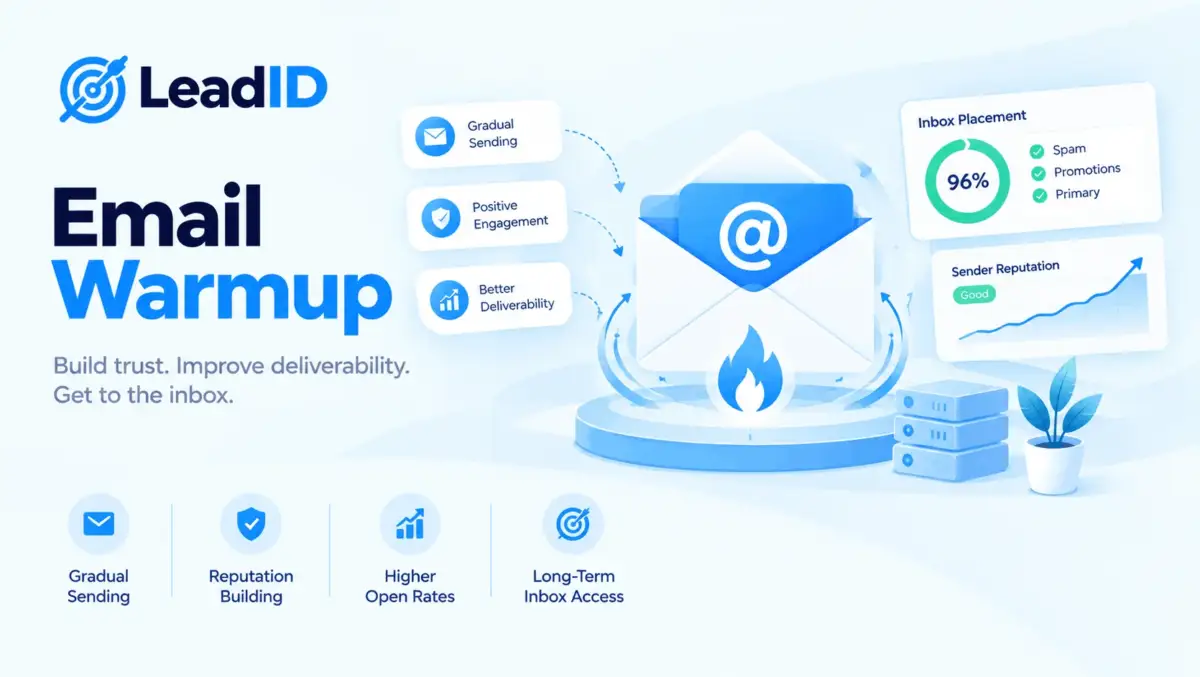
Email warmup is the slow, deliberate process of teaching inbox providers that a new mailbox or domain is a real human sender, not a spam cannon. Skip it, and a brand-new sending address will land in spam from the first blast. Do it right over three to four weeks, and your cold outreach sits in the primary inbox at a 90%+ placement rate from day one of real sending.
What follows is a complete 2026 reference for email warmup: what it actually does to your sender reputation at the ISP level, a day-by-day ramp schedule you can lift verbatim, seven warmup tools compared with current pricing, when to run DIY instead, and the three signals that mean a mailbox is unrecoverable. For teams running real outbound volume, warmup is the deliverability layer that sits upstream of every cold email outreach campaign.
Key Takeaways
- Warmup is non-negotiable for new mailboxes and domains. ISPs track every signal from a new sender; without a warmup ramp, the first 50 cold emails you send go to spam and the mailbox is burned inside a week.
- Expect 2 to 4 weeks for a new mailbox on an aged domain, 4 to 6 weeks for a brand-new domain, and 8 to 12 weeks to rehabilitate a mailbox whose reputation has already collapsed. Rushing the ramp lands you back in spam within one send.
- Modern email warmup tools run from $12 to $49 per mailbox per month standalone, or bundled free with sending platforms like Smartlead and Instantly. For teams running one to five mailboxes, bundled is cheaper; past twenty mailboxes, flat-rate standalone wins.
- During warmup, keep bounce rate under 2% and spam complaint rate under 0.1% on every warmup send, not just real campaigns. Breach either threshold and the ramp effectively resets; the mailbox has to start over.
- DIY warmup still works for small operators who have patience and a handful of personal inboxes to seed engagement. For agency teams running fifty-plus mailboxes, a dedicated tool is the only operationally sane path.
What Email Warmup Actually Does To Sender Reputation
Gmail, Yahoo, Outlook, and every major ISP score each sending address on a reputation ladder. A brand-new mailbox starts at zero. The first few sends either build trust (opens, replies, no bounces, no spam complaints) or confirm the sender is a spammer (hard bounces, low engagement, user-reported spam).
Warmup manufactures the trust-building signals deliberately. The warmup process sends low-volume, highly engaging email to a pool of friendly inboxes that open, reply, mark as important, and move the message out of spam if it lands there.
Three signals matter most to ISPs during the ramp. Positive engagement rate (opens plus replies divided by sends) tells Gmail you are a sender real humans want to hear from. Spam complaint rate near zero tells Yahoo you are not pattern-matching to abuse. Low bounce rate tells Microsoft your list is clean and your DNS is authenticated correctly.
The output of a successful warmup is a sender reputation score that places you in the primary inbox for most recipients from your first real send. The alternative is sending to spam from day one and never recovering, because every spam-folder landing confirms what the ISP already suspected.
How Long Does Email Warmup Take
Timeline depends on three variables: domain age, mailbox age, and the historical sending reputation of either one. The four scenarios below cover virtually every warmup situation.
| SCENARIO | WARMUP DURATION | STARTING VOLUME |
|---|---|---|
| New mailbox on aged domain (6+ months) | 2 to 3 weeks | 5 to 10 sends/day |
| New mailbox on new domain (under 6 months) | 4 to 6 weeks | 3 to 5 sends/day |
| Established mailbox returning after pause | 1 to 2 weeks | 10 to 20 sends/day |
| Reputation-damaged mailbox (spam flags) | 8 to 12 weeks | 1 to 3 sends/day |
The common mistake is treating warmup as a two-week box to tick before “real” sending starts. In reality, warmup never fully stops. Even on an established mailbox, keeping some share of warmup traffic in the mix protects reputation against the occasional complaint spike from a cold campaign.
Day-By-Day Warmup Schedule For 30 Days
The schedule below assumes a new mailbox on an aged domain, which is the most common scenario for agency SDR teams spinning up fresh sending identities. Adjust the daily volumes down by half for a brand-new domain.
| PERIOD | DAILY SENDS | WHAT HAPPENS |
|---|---|---|
| Days 1 to 3 | 5 to 10 | All warmup pool only. No real sends. Verify DNS auth (SPF, DKIM, DMARC) and inbox placement. |
| Days 4 to 7 | 10 to 20 | Warmup pool only, roughly doubling daily volume. Monitor spam folder for landed warmup messages. |
| Days 8 to 14 | 20 to 35 | Warmup continues at full volume. Start sending to tier-one, highly-engaged real recipients (team, warm leads, test prospects). |
| Days 15 to 21 | 35 to 50 | Cold outreach begins at low volume. Keep warmup running in parallel at reduced daily count. |
| Days 22 to 30 | 50 to 75 | Scale cold outreach to standard daily cap (40 to 50 real sends per mailbox). Warmup drops to maintenance level. |
Three guardrails hold the ramp together. First, never exceed a 50% day-over-day jump in volume; ISPs flag sudden spikes. Second, pause sending immediately if daily bounce rate exceeds 2% or spam complaint rate exceeds 0.1%. Third, keep warmup running at a baseline level even after cold outreach ramps, because the engagement pool protects reputation against complaint spikes.
7 Best Email Warmup Tools in 2026 at a Glance
The seven tools below cover the full working set for modern warmup, from bundled-with-sender platforms to standalone warmup services. Entry prices are current as of October 2026.
| TOOL | TYPE | ENTRY PRICE | BEST FIT |
|---|---|---|---|
| 1- Smartlead | Bundled with sender | $39/mo Base | Agencies running many client mailboxes with unlimited inbox pricing. |
| 2- Instantly | Bundled with sender | $47/mo Growth | Small teams wanting warmup inside the same UI as sending. |
| 3- Mailreach | Standalone (premium) | $25/mailbox/mo | Mailboxes you do not want tied to a specific sending platform. |
| 4- Warmbox | Standalone (mid) | $15/mailbox/mo | Solos and freelancers warming a single mailbox cheaply. |
| 5- TrulyInbox | Standalone (flat rate) | $29/mo flat (unlimited) | Teams running 10+ mailboxes who need predictable monthly cost. |
| 6- Lemwarm | Standalone (premium) | $29 to $49/mailbox/mo | Teams already in the Lemlist ecosystem. |
| 7- Warmy | Standalone (feature-rich) | $49/mo entry | Operators wanting deep AI-driven reputation analytics. |
1- Smartlead
Smartlead bundles email warmup natively into every paid plan with no extra per-mailbox fee, which makes it the default choice when the sending platform and the warmup tool need to live in the same workspace. The warmup engine runs an unlimited number of connected mailboxes, ramps daily volume automatically based on your schedule, and feeds deliverability data back into the sending dashboard so you can watch inbox placement trend against each mailbox.
Pricing: Base at $39/mo covers 2,000 contacts and 6,000 sends with unlimited warmup across every connected mailbox. Pro at $94/mo opens 30,000 leads and 150,000 sends. Unlimited Smart at $174/mo and Unlimited Prime at $379/mo cap at 150K and 500K monthly sends respectively. Mailboxes are never billed per seat or per inbox at any tier.
Standout: unlimited mailbox pricing is unique in the category, which makes Smartlead the lowest total cost for agencies managing fifty-plus client sending identities and running warmup across all of them.
Watch for: warmup lives inside the Smartlead UI, so a mailbox you want to warm but send from elsewhere (HubSpot, Pipedrive, a custom SMTP) still needs a standalone tool. The warmup engine assumes you plan to send cold email from Smartlead too.
| PROS | CONS |
|---|---|
| ✓ Warmup included free in every paid plan, no per-mailbox fee | ✗ Requires using Smartlead as your sender too |
| ✓ Unlimited connected mailboxes at every tier | ✗ Deliverability analytics shallower than dedicated tools like Warmy |
| ✓ Deliverability data integrated with send history in one dashboard | ✗ Base tier limits contact storage at 2,000, which is tight for scaled lists |
2- Instantly
Instantly is the UI-first alternative to Smartlead and bundles warmup inside the same workspace as the sender, sequencer, and built-in lead database. Each connected mailbox gets automatic warmup from day one, with daily volume ramped by the platform and engagement pool activity logged in the deliverability tab.
Pricing: Growth at $47/mo covers 1,000 contacts and 5,000 emails per month with unlimited email account warmup. Hypergrowth at $97/mo (or $77.60 billed annually) opens 25,000 contacts and 100,000 to 125,000 emails. Lightspeed at $358/mo adds dedicated IPs for high-volume senders.
Standout: simplest setup in the category. New users connect a mailbox in two clicks and warmup starts automatically with sensible defaults, which makes Instantly the fastest on-ramp for teams that have never run a dedicated warmup process before.
Watch for: contact caps are tight at the entry tier (1,000 at Growth) and Instantly’s warmup engagement pool overlaps with other Instantly customers, which some operators flag as a reputation risk if that pool contains spammy senders.
| PROS | CONS |
|---|---|
| ✓ Easiest UI in the category | ✗ Shared engagement pool across all Instantly customers |
| ✓ Warmup included at every paid tier | ✗ Contact caps tighter than Smartlead at matching tiers |
| ✓ Built-in lead database saves separate Apollo subscription for small teams | ✗ Lightspeed tier required for dedicated IPs |
3- Mailreach
Mailreach is a dedicated standalone warmup service that works with any mailbox provider (Google Workspace, Microsoft 365, Zoho, custom SMTP). The engine sends warmup emails from a global peer-to-peer network of real inboxes, which open, reply, mark as important, and rescue from spam. A real-time deliverability dashboard shows which ISPs are routing your mail to inbox versus spam.
Pricing: $25 per mailbox per month on the standard plan, with volume discounts at 10+ mailboxes. Annual billing cuts roughly 20%. Setup is a 5-minute OAuth connection, and warmup starts within hours of the first authenticated send.
Standout: the real-time spam-folder monitoring is the deepest in the category outside Warmy, which makes Mailreach the right pick when deliverability data needs to be defensible for a sales ops reporting layer.
Watch for: per-mailbox pricing adds up fast past twenty mailboxes. For agencies managing dozens of client sending identities, a flat-rate tool like TrulyInbox or a bundled option like Smartlead is cheaper.
| PROS | CONS |
|---|---|
| ✓ Works with any mailbox provider via OAuth | ✗ Per-mailbox pricing scales expensive past 20 inboxes |
| ✓ Deep real-time deliverability dashboard | ✗ Standalone, no sending or sequencing built in |
| ✓ Real inbox engagement network, no bot replies | ✗ 20% annual discount is lower than many competitors |
4- Warmbox
Warmbox is the budget-friendly standalone warmup tool, pitched at freelancers, solo founders, and single-mailbox operators who need serious reputation building without the enterprise price tag. The product does one thing: ramp a mailbox from zero to inbox-placement-ready in two to three weeks, with a clean dashboard that shows daily send volume, reply rate, and spam-folder rescues.
Pricing: $15 per mailbox per month on the entry tier, with team plans priced per inbox. Fourteen-day free trial. Payment is month-to-month, no annual lock-in required.
Standout: cheapest standalone warmup tool with month-to-month billing, which makes it the right pick for a solo operator who wants to try warmup for a single mailbox before scaling.
Watch for: deliverability analytics are thinner than Mailreach or Warmy, and the engagement pool is smaller. For a one-mailbox freelancer that is fine; for a team running fifty inboxes, the depth gap matters.
| PROS | CONS |
|---|---|
| ✓ Cheapest standalone warmup on the market | ✗ Deliverability analytics shallower than competitors |
| ✓ Month-to-month billing, no annual commitment | ✗ Smaller engagement pool than premium tools |
| ✓ 14-day free trial covers a full partial warmup | ✗ Per-mailbox pricing not ideal for agencies |
5- TrulyInbox
TrulyInbox is the flat-rate warmup specialist, charging one monthly fee for an unlimited number of connected mailboxes. The tool connects any mailbox provider via OAuth or SMTP, runs a shared engagement pool with other TrulyInbox customers, and surfaces per-mailbox deliverability trends alongside daily warmup volume.
Pricing: $29 per month flat on the Pro plan with unlimited mailboxes. Higher tiers at $59, $99, and up to $199 add deliverability testing, DMARC monitoring, and seed-list reporting. All tiers include month-to-month billing.
Standout: flat-rate unlimited pricing is the single cheapest way to warm fifty or more mailboxes. The $29 Pro tier beats every per-mailbox competitor the moment inbox count passes ten.
Watch for: shared engagement pool quality varies, and some operators report lower warmup effectiveness than Mailreach’s dedicated network. For high-value, high-ticket outbound where every reputation point matters, a premium tool often beats flat-rate.
| PROS | CONS |
|---|---|
| ✓ Flat $29/mo for unlimited mailboxes | ✗ Shared engagement pool quality is variable |
| ✓ Works with any provider via OAuth or SMTP | ✗ Deliverability analytics thinner than Mailreach or Warmy |
| ✓ Beats per-mailbox pricing above 10 inboxes | ✗ Advanced features (DMARC monitoring, seed lists) locked behind $59+ tiers |
6- Lemwarm
Lemwarm is the warmup product from the Lemlist team, available as a standalone subscription or bundled inside Lemlist cold outreach plans. The engine runs through a pool of Lemlist and Lemwarm customers, with cluster targeting that matches warmup senders to recipients in similar industries for more authentic engagement signals.
Pricing: standalone pricing ranges from $29 to $49 per email per month depending on volume and feature tier. Bundled with Lemlist plans, warmup is included at no extra cost. Annual billing cuts around 20%.
Standout: cluster targeting matches warmup senders to industry-similar recipients, which produces more credible engagement signals than randomized pools. Teams already using Lemlist for cold outreach get warmup bundled free.
Watch for: standalone pricing is higher than Warmbox or Mailreach for equivalent coverage, so Lemwarm only wins financially when you were already going to pay for the Lemlist cold outreach product.
| PROS | CONS |
|---|---|
| ✓ Industry-cluster warmup pool matching | ✗ Standalone cost higher than Warmbox or Mailreach |
| ✓ Bundled free with Lemlist cold outreach plans | ✗ Only cost-efficient inside the Lemlist ecosystem |
| ✓ Mature product, 10+ years in market | ✗ Dashboard less actionable than Mailreach’s spam-folder view |
7- Warmy
Warmy is the feature-rich standalone warmup platform aimed at operators who treat deliverability as a competitive edge. The product combines a warmup engine with AI-driven reputation analytics, blacklist monitoring across 50+ RBLs, DMARC alignment tracking, and template-level spam words scoring that flags copy likely to trip filters before you send.
Pricing: entry tier at $49 per month covers a single mailbox with full feature access. Team tiers scale per-mailbox with volume discounts at 10 and 25 inbox thresholds. Enterprise custom pricing available for 50+ mailbox operations.
Standout: the deepest reputation analytics in the standalone category. Warmy’s AI-driven inbox placement scoring + blacklist monitoring + content-level spam-trigger analysis is the most complete deliverability package short of enterprise tools like 250ok.
Watch for: $49/mo per mailbox is the most expensive entry point in the category, which only makes sense if the depth of analytics will actually be used. Many operators pay for Warmy and only touch 20% of the feature set.
| PROS | CONS |
|---|---|
| ✓ Deepest reputation + deliverability analytics in the standalone category | ✗ Most expensive entry price at $49/mailbox/mo |
| ✓ Blacklist monitoring across 50+ RBLs | ✗ Feature depth is overkill for solo operators |
| ✓ Content-level spam-trigger scoring on templates | ✗ Steeper learning curve than Instantly or Warmbox |
DIY Warmup Without a Tool
For teams running one or two mailboxes with no budget for a warmup tool, DIY still works. The process trades money for patience and a small circle of friendly inboxes willing to engage with your warmup sends.
Setup: gather ten to fifteen personal inboxes from team, friends, or secondary accounts you own. Confirm SPF, DKIM, and DMARC are set correctly on the sending domain. Send three to five emails per day from the new mailbox to this circle, with varied subject lines and body copy that reads like real human correspondence.
Engagement protocol: every recipient opens the email, replies with a short natural response, marks as important when relevant, and moves the message out of spam if it lands there. Multiple positive signals per send are what move the reputation needle, not raw volume.
Ramp: double daily volume every three days for the first two weeks. Week three, add a handful of real conversations (reach out to known contacts about something genuine, get real replies). Week four, begin cold outreach at low volume while continuing to run DIY warmup sends alongside.
DIY works well for one mailbox. It falls apart at scale because coordinating fifteen inboxes to open, reply, and rescue from spam across fifty mailboxes becomes a full-time job. The breakeven on a $29 flat-rate tool like TrulyInbox is somewhere around three mailboxes.
When To Walk Away From a Burned Mailbox
Not every mailbox is recoverable. Three signals mean the smarter move is to burn the current mailbox, provision a fresh one, and start warmup from scratch instead of trying to rehabilitate.
- Sustained spam complaint rate above 0.3%. Gmail and Yahoo bulk-sender rules throttle senders at this threshold, and once a mailbox is throttled, warmup traffic itself gets deprioritized. The ramp cannot work.
- Blacklist listing on a major RBL (Spamhaus, Barracuda). Delisting takes four to eight weeks of zero sending plus a formal appeal. For a sending domain you intend to use within the next quarter, provisioning a new domain is cheaper and faster.
- Open rate below 10% for three consecutive weeks after a warmup reset. If engagement will not recover with fresh warmup traffic, the ISP has already classified the mailbox as low-value and keeps routing to spam even for engaged recipients. New mailbox is faster than any further rehab attempt.
Common Warmup Mistakes
Five mistakes account for most of the burned mailboxes in cold outreach. All five are preventable with the schedule and guardrails above.
- Starting cold outreach before day fifteen. The ramp exists because ISPs need time to accumulate engagement signals. A cold send on day five tells Gmail the mailbox was never a human sender; game over.
- Doubling daily volume every day instead of every three. Sudden volume spikes trigger spam heuristics regardless of underlying engagement. The 50% day-over-day cap is the single most important rule in the warmup framework.
- Skipping DNS authentication. SPF, DKIM, and DMARC are table stakes. A mailbox without proper authentication fails at the ISP gate before warmup engagement signals even get read.
- Stopping warmup after week four. Reputation is maintained through ongoing engagement, not banked. Keep baseline warmup running during cold sending to protect against campaign complaint spikes.
- Buying a used domain without checking its spam history. A domain that was spammed on in 2024 still carries that reputation in 2026. Check reputation on mxtoolbox and Google Postmaster Tools before you buy or spin up.
Bottom Line
Email warmup is the deliverability discipline that decides whether cold outreach lands in the inbox or in spam from the first real send. Run the ramp over two to four weeks for a new mailbox on an aged domain, respect the 50% day-over-day volume cap, keep bounce rate under 2% and spam complaints under 0.1%, and maintain baseline warmup traffic even after cold sending begins.
For teams running one to five mailboxes, bundled warmup inside Smartlead or Instantly is the lowest total cost. For agencies managing twenty or more inboxes, a flat-rate standalone like TrulyInbox wins on math. For teams whose deliverability matters more than the subscription fee, Mailreach or Warmy are the premium picks. The entire discipline sits upstream of every outbound metric you track inside email marketing kpis and every cold outreach decision after it.
FAQs
1- What is email warmup and why does it matter?
Warmup is the deliberate process of ramping a new mailbox or domain’s send volume slowly over two to four weeks, with engagement signals (opens, replies, spam-folder rescues) that teach ISPs the sender is a real human. Skip warmup, and a new mailbox lands in spam from the first blast and never recovers.
2- How long does warmup take?
Two to three weeks for a new mailbox on an aged domain, four to six weeks for a new mailbox on a new domain, one to two weeks for an established mailbox returning after a pause, and eight to twelve weeks to rehabilitate a mailbox whose reputation has already collapsed. Rushing the ramp lands you back in spam within one send.
3- What is the best email warmup tool in 2026?
For teams already using a sending platform, bundled warmup inside Smartlead or Instantly is the lowest total cost. For standalone warmup, Mailreach ($25/mailbox/mo) offers the deepest deliverability dashboard, Warmbox ($15/mailbox/mo) is the cheapest, TrulyInbox ($29/mo flat for unlimited) wins at 10+ mailboxes, and Warmy ($49/mailbox/mo) has the deepest analytics.
4- Can I do email warmup without a tool?
Yes, for one or two mailboxes. Gather ten to fifteen friendly inboxes, send three to five emails per day with varied subject lines, have every recipient open and reply authentically, and double daily volume every three days. DIY breaks down at scale because coordinating the engagement protocol across many mailboxes becomes operationally impossible.
5- How many emails per day should a warmup mailbox send?
Start at 5 to 10 sends per day on days 1 to 3, ramp to 10 to 20 by day 7, 20 to 35 by day 14, and reach 50 to 75 by day 30 as cold outreach layers in. Never exceed a 50% day-over-day volume jump; sudden spikes trigger spam heuristics regardless of engagement.
6- Does Gmail detect warmup services?
Gmail has gotten better at identifying bot-driven warmup patterns (repetitive subject lines, scripted replies, timing patterns). Modern warmup tools counter with real inbox networks, varied content, and randomized timing. Lemwarm’s industry-cluster matching and Mailreach’s real-inbox network are two of the harder-to-detect approaches currently.
7- Should I keep warmup running after cold outreach starts?
Yes, at a reduced maintenance level. Reputation is maintained through ongoing positive engagement, not banked. Keeping baseline warmup traffic running during active cold sending protects against complaint spikes from any single underperforming campaign.
8- What is the difference between mailbox warmup and domain warmup?
Mailbox warmup builds reputation for a specific sending address ([email protected]). Domain warmup builds reputation for the sending domain itself (acme.com), which all mailboxes on that domain inherit. A new domain needs both: slow domain-level reputation building over 4 to 6 weeks, with per-mailbox warmup for every new sending address you add.
9- Why did my warmup fail even with a paid tool?
Three common causes: DNS authentication (SPF, DKIM, DMARC) was missing or misconfigured, the domain had prior spam history that preempted the warmup, or cold outreach started before the ramp was complete. Verify authentication first with mxtoolbox, check domain reputation with Google Postmaster Tools, and respect the full three-to-four-week schedule.
10- Can warmup fix a mailbox already landing in spam?
Sometimes. If the mailbox has sustained spam complaints above 0.3%, is blocklisted on a major RBL, or shows open rate below 10% for three weeks after a warmup reset, provisioning a new mailbox is faster and cheaper than rehabilitation. For milder reputation damage, an 8 to 12 week warmup-only sending window can restore the mailbox.


Pingback: Cold Email Outreach in 2026: Process, Tips, and Mistakes to Avoid
Pingback: Spam Words in 2026: 50 Email Spam Trigger Words to Avoid in Subject Lines