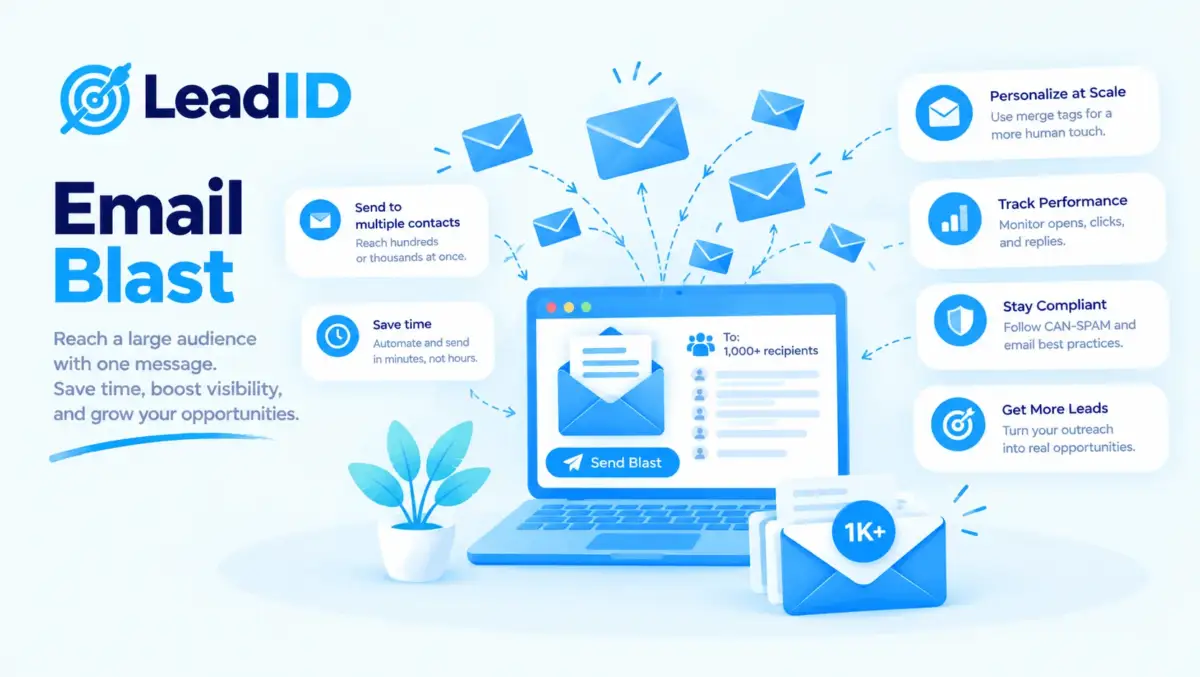
An email blast is the easiest email you will ever send and the most likely to burn your sender reputation if you send it wrong. One list, one message, one send, no segmentation. For a flash sale announcement at midnight, that is exactly what you want. For a monthly product update to 50,000 subscribers, it is the fastest way to spike spam complaints past 0.3% and watch Gmail quietly route your next ten sends to the junk folder.
The term feels old because it is. Email blasts come from a mailing-list era where every subscriber got the same message every time, and the strategy was volume. Modern senders moved to segmentation, triggers, and personalization because the numbers got better. Brevo’s 2026 benchmark shows automation emails hit a 7.39% click rate versus 2.27% for broadcast campaigns, and the complaint rate on segmented sends sits well under 0.1% versus the 0.3%+ that blasts regularly trigger.
Below is the honest take on email blasts: what one actually is, the four pros and five cons that decide whether to send one, the best practices that keep a blast from torching your list, and the alternatives that beat it most of the time. Blasts still have a place inside a modern full email marketing campaigns program, but only for specific, time-sensitive moments and only when the fundamentals around deliverability are already in place.
Key Takeaways
Quick Answer: Is An Email Blast Right For This Send
1. The message is universally relevant. Every subscriber on the list needs this exact information right now. Flash sale, outage notice, major launch, policy update.
2. The list is clean and recently engaged. Hard bounces under 2%, unsubscribes under 0.3%, opens inside the last 90 days above 30% of the list.
3. The timing beats segmentation effort. A segmented campaign would land after the window closes. Blast now, segment next quarter.
Send a segmented campaign instead when: the content differs by audience, the list has not been emailed in 60+ days, or the goal is engagement rather than announcement.
What Is An Email Blast
An email blast is one message sent to a large list of subscribers at the same time, with little or no segmentation or personalization. Everyone on the list receives the same subject line, the same body copy, and the same call-to-action. The send happens once, usually at a specific time to maximize open volume, and the campaign ends when the send completes.
The format comes from the direct-mail era, where sending the same postcard to a bulk list was the default. Email adopted the model in the 1990s and 2000s because segmentation tools were primitive and sender infrastructure could handle large batches cheaply. Modern email marketing moved past blasts for most use cases, but the term stuck because the format is still useful for narrow situations where speed matters more than relevance.
What makes a blast different from a campaign: a campaign usually implies a planned sequence (welcome series, abandoned cart, re-engagement) with multiple touches and segmentation logic. A blast is a one-off broadcast with no series behind it. Both terms get used loosely, which is why people argue about them, but the operational difference is simple: blast = one send to many; campaign = structured flow with triggers or segments.
Email Blast Vs Segmented Campaign: Side-By-Side Numbers
Here is the honest head-to-head on the metrics that decide whether to blast or segment.
| METRIC | EMAIL BLAST | SEGMENTED CAMPAIGN |
|---|---|---|
| Average open rate | 15-22% | 25-35% |
| Average click rate | 2.27% | 7.39% (automated) |
| Spam complaint rate | 0.3-0.8% typical | Under 0.1% |
| Conversion rate | 0.5-1.5% | 3-8% |
| Revenue per send | $0.10-$0.30 | $1.00-$3.00 |
| Setup time | 15-30 minutes | 2-8 hours |
| Deliverability risk | High (if list is stale) | Low |
| Best for | Urgent universal messages | Everything else |
The gap on revenue per send (3 to 10 times) is why segmented campaigns beat blasts on economics almost every time. The gap on setup time (10 to 20 times faster) is why blasts still exist. If the message cannot wait and the audience is genuinely homogeneous, a blast is the right choice. Everywhere else, segmentation pays for itself inside the first send.
Email Blast Pros And Cons
| PROS | CONS |
|---|---|
| ✓ Fastest possible time to send (15-30 minutes vs 2-8 hours for a segmented campaign) | ✗ Deliverability and sender reputation damage from stale list portions |
| ✓ Zero segmentation expertise required, which fits lean teams and solo marketers | ✗ Low relevance across the full list means 3-5x lower engagement vs segmented sends |
| ✓ Works for universally relevant announcements (outages, price changes, policy updates) | ✗ Spam flags from stale list portions push complaint rate to 0.3-0.8%, above Gmail’s throttle threshold |
| ✓ Maximum volume for awareness pushes where reach matters more than conversion | ✗ Weak performance data because one message to a mixed list hides what each segment actually responded to |
| ✗ Unsubscribe spikes and list shrinkage, often 2-4x the baseline rate on the send day |
Email Blast Pros: 4 Reasons To Send One
Email blasts have four legitimate advantages. All four are about speed and simplicity rather than performance.
1. Fastest Possible Time To Send
A blast takes 15 to 30 minutes to prepare and send. One subject line, one body, one audience selector set to “all active subscribers”. A segmented campaign takes 2 to 8 hours between audience building, variant copy, send-time optimization, and QA. If a message has to go out in the next hour, a blast is the only option that fits.
2. Zero Segmentation Expertise Required
Blasts need no segmentation logic, no behavior triggers, no personalization tokens. A junior marketer can send one on day one. That accessibility is why early-stage brands and small teams rely on blasts for every send until their list and tooling mature. The ceiling is low, but the floor is also low.
3. Works For Universally Relevant Announcements
Some messages genuinely apply to every subscriber: a service outage, a policy change, a company acquisition, a free event open to all customers. Segmentation would add zero value because the content cannot be differentiated. For those cases, the blast is the correct choice and segmentation is overthinking.
4. Maximum Volume For Awareness Pushes
If the goal is to hit the maximum number of inboxes with a single moment of attention (new product launch, major rebrand, flash sale announcement), a blast delivers that volume in one wave. The follow-up should still be segmented, but the initial awareness push benefits from the single-shot nature of a blast.
Email Blast Cons: 5 Risks To Weigh First
Blasts carry five real risks. Every one of them compounds, which is why overused blasts can wreck a sender program inside a quarter.
1. Deliverability And Sender Reputation Damage
A blast sends identical content to a diverse list, which triggers higher spam-complaint rates than targeted sends. Spam complaints above 0.3% start Gmail throttling. Above 0.5%, blocking begins. One bad blast can push a mailbox from healthy to flagged in a single send, and recovery takes 14 to 21 days of careful warmup. Google’s updated gmail sending limits and bulk-sender rules make this risk sharper for anyone sending above 5,000 messages a day.
2. Low Relevance Means Low Engagement
A message written for everyone resonates with no one. Blast open rates sit at 15 to 22% versus 25 to 35% for segmented sends. Click rates drop even harder: 2.27% versus 7.39%. The gap compounds over time because low-engagement sends train ISPs to deprioritize the sender, which hurts the next send regardless of its quality.
3. Spam Flags From Stale List Portions
Lists accumulate dead addresses, role-based inboxes, and disengaged subscribers over time. Blasting the whole list hits all of them at once, which spikes bounces and complaints. Teams that blast a list that has not been cleaned in 6+ months regularly see bounce rates above 5% and complaint rates near 1%, both of which trigger ISP throttling immediately.
4. Weak Performance Data
A blast produces one data point: one open rate, one click rate, one conversion number for the whole list. Nothing in the data tells you which segment responded, which message resonated, or which audience to target next time. Segmented campaigns produce per-segment data that compounds into better future sends. Blasts produce noise that compounds into guesswork.
5. Unsubscribe Spikes And List Shrinkage
Irrelevant blasts drive unsubscribes 2 to 3 times the rate of targeted sends. A list of 50,000 subscribers can shed 1,500 to 2,000 subscribers on a single bad blast. That damage compounds too: a smaller list has lower total revenue, and the subscribers you lose are often the ones who were likely to buy if the message had been targeted correctly.
Email Blast Best Practices: 8 Rules That Keep A Blast Safe
Eight practices that reduce the deliverability and reputation risk of email blasts to a level where they can run inside a modern email program without wrecking it. Treat all eight as non-negotiable before sending any blast above 5,000 recipients.
- Verify the list before send. Run every address through NeverBounce, ZeroBounce, or an equivalent verifier within 48 hours of the blast. Dead addresses bounce, which spikes the bounce rate past the 2% danger zone. The verification cost is roughly $0.01 per email, which is cheaper than one deliverability incident.
- Segment at minimum by engagement. Even a “blast” should exclude subscribers who have not opened an email in 90 days. The engaged portion of the list opens and clicks reliably; the disengaged portion spikes complaints. Excluding stale subscribers from a blast is the single highest-leverage rule.
- Match the send to best time to send marketing emails for your audience. Tuesday to Thursday, 9 to 11 AM in the recipient’s local time zone is the default. Weekend blasts to a B2B list signal spam behavior to ISPs; weekday-morning sends match normal patterns.
- Keep a working one-click unsubscribe link. CAN-SPAM and the 2024 Google Bulk Sender rules both require one-click unsubscribe at scale. Hiding the link or forcing a login spikes “mark as spam” complaints past 0.3% immediately.
- Authenticate SPF, DKIM, and DMARC. Any blast sent from a domain without these three records set to pass will be throttled by Gmail and Yahoo. The setup is one-time and takes under an hour, but skipping it caps every send below the sender’s natural ceiling.
- Respect the daily sending ceiling. The real limit on how many emails you can send before spam flagging is usually well below the official cap. Big blasts should spread over 2 to 4 hours, not fire in one burst, to avoid rate-limit flags.
- Write the subject line like a human. ALL CAPS, excessive emoji, “FREE”, “URGENT”, and “ACT NOW” all trigger spam filters directly. Short, lowercase, specific subject lines bypass filters and lift open rates at the same time. 3 to 7 words, under 40 characters.
- Set a frequency cap at once a month on a general list. Blasting the same list weekly accelerates unsubscribe rate and complaint rate past safe thresholds. Monthly is the floor for general-list blasts; weekly is too much, daily is a reputation suicide pact.
When An Email Blast Beats A Segmented Campaign
Five specific moments where a blast is the correct choice, not a shortcut. If any of these apply, send the blast and move on.
- Service outage or incident notification. Every active customer needs to know the service is down and when it will be back. Segmentation here would delay critical information.
- Policy or terms-of-service update. Legal requires every subscriber to receive the same notice at the same time. No segmentation possible.
- Flash sale with a hard deadline. The sale starts at midnight and ends in 24 hours. Every subscriber needs the announcement in the same window.
- Major company announcement. Acquisition, fundraise, product rebrand. Universal relevance, time-sensitive, no segmentation value.
- Breaking news in a newsletter format. Industry publications and media newsletters that cover a breaking story do not have time to segment by reader interest. One send, one story, one broadcast.
When To Use A Segmented Campaign Instead Of An Email Blast
For almost every other send, segmentation beats blasting. Specifically, use a segmented campaign (triggered flow, behavior-based send, or audience-sliced broadcast) when any of these apply:
- The message varies by customer type. Enterprise customers get different content than SMB customers. Segment by plan tier.
- The goal is engagement, not announcement. If you want clicks, replies, or purchases, segmentation lifts those metrics 3 to 5 times.
- The list has stale segments. Dormant subscribers past 90 days without engagement should be in a win-back track, not the main blast.
- New subscribers deserve a specific flow. A new signup should trigger a welcome series, not get folded into the next broadcast. Modeling after proven best welcome email examples lifts first-purchase rate by 3 to 5x versus a one-off welcome.
- The data from the send matters. Segmented campaigns produce per-segment learnings that compound. Blasts produce one data point.
Email Blast Tools: Platforms That Send At Scale Safely
Any modern email service provider (ESP) can send blasts. The question is which one handles the volume safely and keeps your sender reputation intact. The five that handle blasts well in 2026:
- Mailchimp: the default for SMB blasts. Easy to use, strong deliverability on verified lists. Free up to 500 contacts, $13/mo for 500-1,500.
- Brevo (formerly Sendinblue): generous free tier (300 emails per day) and native SMS. Pricing scales to $25/mo for 20,000 emails/mo.
- Klaviyo: ecommerce-focused, strong Shopify integration, pricier at scale but excellent deliverability. Free up to 250 contacts, $45/mo for 1,500.
- HubSpot: all-in-one CRM + email. Blasts live inside the Marketing Hub product. Free tier covers basic sends; paid plans start at $20/mo.
- ActiveCampaign: strong automation builder, good for mixing blasts with triggered flows. Starts at $15/mo for 500 contacts.
Avoid cold-email platforms (Instantly, Smartlead, Lemlist) for blasting an opt-in list. Those tools are built for one-to-one outbound and will burn marketing-list reputation if you push broadcasts through them.
Bottom Line
An email blast is a tool, not a strategy. It fits a narrow set of situations (urgent, universally relevant messages to a clean, engaged list) and fails for almost everything else. Segmented campaigns beat blasts 3 to 5 times on click rate and 5 to 10 times on revenue per send, which is why modern email programs blast rarely and segment constantly.
The eight best practices above (verify the list, segment by engagement, authenticate SPF/DKIM/DMARC, respect sending limits, write human subject lines, cap frequency at monthly, keep one-click unsubscribe, send during peak hours) turn a risky blast into a safe one. Breaking any single rule triples the deliverability damage.
The right default for 2026: segment first, blast only when the three-question decision tree says yes. Save the blast format for the handful of moments each quarter when speed genuinely beats relevance.
FAQs
1- What is an email blast?
An email blast is a single message sent to a large list of subscribers at the same time, with little or no segmentation or personalization. Everyone on the list receives the same subject line, body, and CTA. The format comes from the direct-mail era and still fits urgent, universally relevant messages.
2- Are email blasts still effective in 2026?
Only for narrow use cases: service outages, policy changes, flash sales, major company announcements. For engagement-driven sends, segmented campaigns click at 7.39% versus 2.27% for blasts (Brevo 2026) and produce 3 to 10 times the revenue per send. Blasts are a speed tool, not an everyday strategy.
3- What are the main pros of email blasts?
Fastest possible send time (15 to 30 minutes), zero segmentation expertise required, works for universally relevant announcements, and maximum volume for one-moment awareness pushes. All four advantages are about speed and simplicity, not performance.
4- What are the main cons of email blasts?
Deliverability damage (complaint rates above 0.3% trigger Gmail throttling), low relevance means low engagement, spam flags from stale list portions, weak performance data (one data point per blast), and unsubscribe spikes 2 to 3 times the rate of segmented sends.
5- What is the best time to send an email blast?
Tuesday to Thursday, 9 to 11 AM in the recipient’s local time zone. Weekday mornings match normal engagement patterns and signal legitimate sender behavior to ISPs. Weekend blasts to B2B lists look spammy to inbox providers and underperform open-rate benchmarks by 20 to 30%.
6- How often can I send email blasts without hurting my list?
Once a month maximum on a general list. Weekly blasts accelerate unsubscribe rate and complaint rate past safe thresholds. Daily blasts are a reputation suicide pact. Segment first, blast only when the moment requires it.
7- Can I send an email blast to a purchased list?
Never. Purchased lists bounce at 15 to 40%, generate immediate spam complaints above 1%, and get the sending domain blacklisted within the first blast. CAN-SPAM, GDPR, and CASL also prohibit sending commercial email to addresses without explicit consent. Build the list through opt-in channels instead.
8- What is a good open rate for an email blast?
15 to 22% is the industry average for blast-style sends. Top performers reach 30%+ with strong subject lines and clean lists. Open rates on blasts are inflated by Apple Mail Privacy Protection by 20 to 40%, so measure click-through rate as the honest engagement signal (2.27% average, 5%+ for strong blasts).
9- What tools are best for sending email blasts?
Mailchimp, Brevo, Klaviyo, HubSpot, and ActiveCampaign all handle blasts safely at scale. Pick based on list size, integration needs, and budget. Avoid cold-email platforms (Instantly, Smartlead, Lemlist) for blasting an opt-in list because those tools are built for one-to-one outbound.
10- What is the difference between an email blast and an email campaign?
A blast is one-off: one message, one send, no segmentation. A campaign is a planned sequence (welcome series, abandoned cart, re-engagement) with multiple touches, triggers, or segments. Blasts take minutes to execute; campaigns take hours but return 3 to 10 times the revenue per send.

Pingback: Welcome Email Examples: 12 That Convert + Series Frameworks For 2026
Pingback: Best Time To Send Marketing Emails: Day-By-Day Data For 2026
Pingback: How Many Emails Can You Send Before Spam? (2026 Real Numbers)
Pingback: Gmail Sending Limits In 2026: Every Official Number From Google