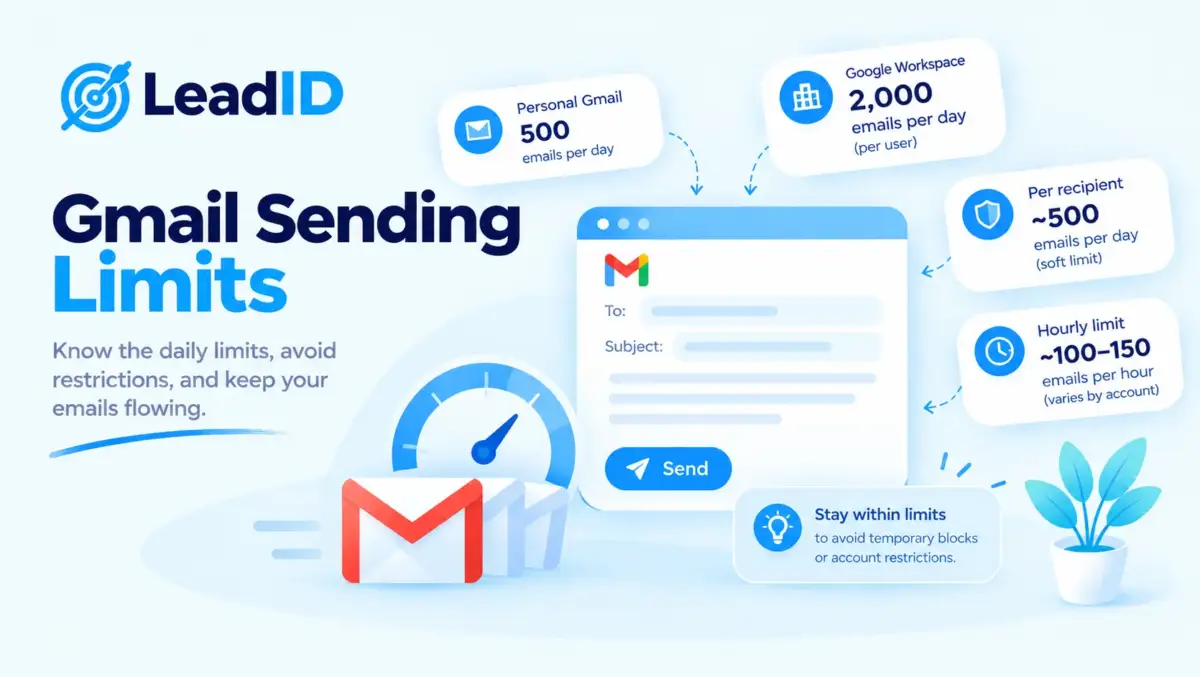
Gmail sending limits are the single most-misunderstood number in B2B outbound. Free Gmail caps at 500 messages per 24 hours; Google Workspace caps at 2,000 messages but 10,000 recipients; the Gmail API runs on 100 quota units per send against a 6,000-units-per-minute per-user ceiling; and the SMTP route via POP/IMAP collapses the per-message recipient cap to 100. Teams that confuse any one of these numbers lose accounts to 24-hour suspensions.
Below is every official number Google publishes in 2026, split by send method, plus the May 1, 2026 Gmail API quota change nobody has caught, the silent counters that spend quota without you noticing, and the real safe-send volume that keeps a mailbox out of cold email deliverability trouble. Numbers come straight from Google’s Workspace Admin Help and the Gmail API quota reference.
Key Takeaways
Free Gmail Sending Limits (Personal Accounts)
Personal Gmail accounts (gmail.com) carry the strictest limits in the Google ecosystem. The ceiling exists specifically to deter spam from unauthenticated senders, and it has not changed meaningfully since 2019.
Volume caps and bounce thresholds are two halves of the same bulk-sender rule package, which is why a domain that honors the Gmail daily volume cap can still get throttled if its hard bounce vs soft bounce rate crosses the 2 percent ceiling in the same rolling window; the 2024 sender rules enforce both ceilings in parallel.
Senders pushing past 100,000 messages per month to Gmail inboxes also face the dedicated IP vs shared IP question at the ESP layer, where dedicated starts earning its cost over shared infrastructure.
| LIMIT | VALUE | NOTES |
|---|---|---|
| Messages per day | 500 | Rolling 24-hour window, not midnight reset |
| Recipients per message | 500 | To + Cc + Bcc combined |
| Daily recipient-counts | 500 | Shared across browser and SMTP |
| Attachment size | 25 MB | Larger files auto-route through Google Drive |
| Lockout duration | 1 to 24 hours | Receiving stays unaffected |
The official error reads “You have reached a limit for sending mail.” Account access, inbox, and other Google services keep working during the block. Repeated violations in a short window can escalate to a full account suspension, which Google reserves the right to make permanent for accounts flagged as spam.
Google Workspace Gmail Sending Limits (Paid Accounts)
Paid Workspace accounts (any custom domain running on Google) run under a wider but more complex ceiling. The platform tracks four separate counters simultaneously, and hitting any single one triggers the same 24-hour block.
| COUNTER | PAID LIMIT | TRIAL LIMIT | WHAT COUNTS |
|---|---|---|---|
| Messages per day | 2,000 | 500 | One send = one message, regardless of recipients |
| Mail merge messages | 1,500 | 500 | Formerly called multi-send |
| Total recipient-counts | 10,000 | 500 | Each recipient counted every time it is sent to |
| Unique recipients | 3,000 | 500 external | Each address counted once, however many sends |
| Unique external recipients | 2,000 | 500 | Addresses outside your primary domain |
| External recipients per day | 3,000 | 500 | Includes domain aliases and alternate domains |
| Auto-forwarded messages | 10,000 | 10,000 | Separate cap, not deducted from the 2,000-send limit |
| Auto-forward filters | 40 | 40 | Filters that forward mail automatically |
Trial limits persist until the domain has cumulatively paid Google at least $100 USD (or domain cost plus $100 USD for domains purchased from Google). The lift to full limits takes up to 75 days after the threshold is met, which catches many teams off guard during their first paid month.
Attachment limits by edition: 25 MB for Business Starter, Business Standard, Business Plus, Enterprise Standard, and Education. Enterprise Plus allows up to 50 MB, web Gmail only.
Gmail Sending Limits By Send Method (Full Comparison)
The same Workspace mailbox enforces different per-message recipient caps depending on how the message is sent. The seven methods below are the complete set Google supports, each with its own ceiling.
| SEND METHOD | RECIPIENTS PER MESSAGE | COMMON USE CASE |
|---|---|---|
| Gmail web interface | 2,000 (500 external) | Direct composition |
| Gmail mobile app | 2,000 (500 external) | On-the-go sends |
| Gmail API | 500 | Programmatic sending at scale |
| SMTP via POP/IMAP | 100 | Third-party clients, outbound tools |
| GWSMO (Outlook sync) | 100 | Outlook users on Workspace |
| SMTP relay service | Policy-based, admin-set | Printers, scanners, internal apps |
| Auto-forward | 1 per rule, 40 rules max | Pass-through forwarding |
Pattern worth noticing: outbound tools that connect via SMTP (because they do not support OAuth) drop the per-message recipient cap by 20x, from 2,000 to 100. Teams running mass outreach through SMTP connectors should budget for the lower ceiling before writing a sequence.
How Do Gmail API Quota Units Actually Work?
The Gmail API meters usage in “quota units” rather than counting raw messages. A quota unit is Google’s abstract measure of how expensive an operation is, where a simple read costs just a few units and a full message send costs 100. Each API operation consumes a different cost, and the ceilings apply at both the per-user and per-project levels. Understanding the math is the difference between a 500-contact batch that sends cleanly and one that trips HTTP 429 errors halfway through.
Quota Unit Costs Per Operation
| OPERATION | UNITS | NOTES |
|---|---|---|
| messages.send | 100 | The expensive one |
| drafts.send | 100 | Same cost as direct send |
| messages.get | 20 (60 with full format) | 60 units for full, raw, or html |
| messages.list | 5 | Cheap pagination |
| messages.batchModify | 50 | Up to 1,000 messages per call |
| threads.get | 40 (120 with full format) | 120 units for full format |
| watch | 100 | Push notification setup |
Per-User And Per-Project Rate Ceilings
- Per user per project: 6,000 units per minute. At 100 units per send, that math works out to 60 sends per minute, or roughly 1 send per second per user. Any OAuth-based cold email tool that promises higher throughput per inbox is either batching across multiple users or routing through SMTP.
- Per project: 1,200,000 units per minute. That is enough headroom for 12,000 sends per minute across all users on the same Google Cloud project. The project ceiling matters most for ESPs and multi-tenant tools where many user accounts share one API client.
- Daily billing threshold: 80,000,000 units per project. Standard usage below this threshold is free in 2026, with billing planned to activate later in the year on at least 90 days’ notice from Google.
Exceeding any limit returns HTTP 429 with a Retry-After header. Google’s documented pattern is truncated exponential backoff with random jitter, capped at a 32 to 64 second maximum backoff.
May 1, 2026 Gmail API Quota Change That Most Guides Missed
Google updated Gmail API quotas on May 1, 2026, a change most published guides missed entirely. Here is how the split works.
Projects Active Nov 2025 Through April 2026 (Legacy Quotas)
Projects that used the API in this window keep their previously granted quotas, which may differ from the current published numbers. Legacy workloads do not get silently downgraded.
Projects Created On Or After May 1, 2026 (New Quotas)
Projects created in this period are subject to the current published quotas (6,000 units per user per minute, 1,200,000 per project per minute). New Gmail API projects spun up today run under the new ceiling, which is slightly tighter per user than some of the pre-2026 configurations.
Paid-Tier Billing Model Coming Later In 2026
Google is positioning Gmail API usage for a billing model later in 2026 with a 90-day advance notice. Teams building new integrations should plan for a paid tier within the next 12 months, not design around an assumption of permanent free access at the current ceilings.
SMTP Relay Service Limits
What SMTP Relay Is For (Printers, Scanners, LOB Apps)
The Google Workspace SMTP relay service is a separate route from the per-user Gmail SMTP server. It is designed for printers, scanners, line-of-business applications, and bulk-sending use cases that need to route mail through a fixed set of IP addresses rather than user credentials.
Daily Cap: Policy-Based Up To 10,000 Per User
Relay limits are policy-based rather than fixed numbers. The admin sets a daily per-user cap in the Admin console, with the practical ceiling commonly cited at 10,000 recipients per user per day on paid Workspace editions. Enterprise editions typically authorize higher caps on request.
Authentication And Reputation Rules
Authentication requires either an IP allowlist, SMTP username and password with TLS, or both. The relay enforces SPF and DKIM alignment on the sending domain, which rules out unauthenticated bulk sending from arbitrary IPs. Note that relay traffic still counts against Gmail reputation signals; exceeding safe-send volume on the relay triggers the same deliverability degradation as high-volume Gmail SMTP sending.
What Silently Counts Against Your Gmail Sending Limits
Four categories of mail deduct from the daily counter without ever appearing in the Sent folder. Teams hit the limit sooner than expected because of these silent counters.
Vacation Responder Auto-Replies
Every out-of-office reply the vacation responder sends counts against the daily 2,000-message limit. A high-traffic inbox on vacation can burn 500+ sends per day without any human action.
Delegated Send-As-Another-User Traffic
When an executive assistant sends from the exec’s address, each send counts against the exec’s quota, not the assistant’s. Shared mailboxes with multiple delegates share the single-user daily cap.
Messages From Aliases And Alternate Addresses
Any send from support@, hello@, sales@ (or similar alias) under a single Workspace user burns the primary user’s quota. Teams with five aliases on one mailbox share one 2,000-per-day ceiling.
Google Groups Outbound Messages
Posts from Google Groups for Business accounts count against the posting group’s dedicated limit, which is lower than individual mailbox limits and separately enforced.
Published Cap Versus Real Safe Cap
Google publishes a 2,000-messages-per-day Workspace limit, but reputation-based enforcement blocks most new mailboxes well before that number, which is why how many emails you can send before spam is a much smaller real-world figure. The real safe cap depends on five factors Google weights more heavily than raw volume.
Account Age
Mailboxes under 30 days old get flagged at roughly 50 to 100 cold sends per day, even on a paid Workspace plan. Full access to the published 2,000 ceiling typically arrives after 60 to 90 days of consistent, low-complaint sending.
Domain Age And Warmup
New domains behave similarly. A fresh custom domain with zero historical reputation hits soft blocks at low volume regardless of Workspace tier.
Bounce Rate
Hard bounce rates above 2% trigger reduced sending capacity. Rates above 5% often trigger immediate 24-hour suspension before any daily counter is reached.
Spam Complaint Rate
Google’s bulk-sender rules require spam complaint rates below 0.3%. Rates above 0.1% start quietly reducing inbox placement; rates above 0.3% start blocking sends entirely.
Engagement Signals
Low open rates, low reply rates, and high ignore rates all signal low-quality sending behavior. Mailboxes where recipients consistently archive-without-reading hit soft blocks faster than mailboxes with normal interaction patterns. Timing sends to match the best time to send marketing emails for a given audience keeps interaction rates healthy and quota consumption low.
| MAILBOX STATUS | COLD SEND VOLUME | % OF PUBLISHED CAP |
|---|---|---|
| Brand new (0-14 days) | 10-30 per day | 0.5-1.5% |
| Warming (15-45 days) | 30-70 per day | 1.5-3.5% |
| Established (45-90 days) | 70-150 per day | 3.5-7.5% |
| Mature (90+ days) | 150-300 per day | 7.5-15% |
| Fully warmed, 6+ months | 300-500 per day | 15-25% |
Pattern worth noticing: even fully warmed mailboxes rarely cross 25% of the published 2,000-per-day ceiling on cold outreach. The gap exists because the published number was never designed for cold outbound; it was designed for internal communication plus warm correspondence.
What Happens When Gmail Sending Limits Are Hit
Hitting any limit triggers one of three enforcement outcomes depending on severity. All are temporary unless escalated by repeated violations or spam flags.
1. Soft Block (1-4 Hours)
A soft block is Gmail’s mildest enforcement response, and it is the outcome most senders encounter first. Sending pauses for a short window, no email arrives in the Sent folder, and the user sees the error “You have reached a limit for sending mail.” Receiving, searching, drafts, and every other Gmail function keep working normally while the block is active.
2. Hard Block (24 Hours)
A hard block is the next escalation step after a soft block, and Gmail triggers it when a sender keeps pushing past the limit after a soft block has already fired. Sending is paused for a full rolling 24 hours, meaning the mailbox cannot send any outbound mail until the clock elapses from the moment of the final triggering send. Inbox access, calendar, and other Google services continue to work.
3. Account Suspension (Days To Permanent)
An account suspension is the most severe enforcement action, and it goes beyond pausing sends: the full account access to outbound mail is revoked. Gmail triggers a suspension on sustained abuse signals, including spam complaint rates above 0.3%, hard bounce rates sustained over multiple days, or outbound patterns the filters classify as spam. Workspace admins can request restoration through the Admin console, and Google reserves the right to make the restriction permanent for repeat offenders.
Google’s 2024 Bulk Sender Rules (Still Active)
Separate from the per-mailbox sending limits, Google and Yahoo introduced bulk-sender requirements in February 2024 that affect any sender exceeding 5,000 messages per day to Gmail addresses. These rules remain in force in 2026 and interact with the daily limits above, which is the exact threshold where a single mass email blast starts tripping bulk-sender enforcement.
- Required Authentication (SPF, DKIM, DMARC): SPF, DKIM, and DMARC all configured and aligned. DMARC policy of at least p=none for new senders; p=quarantine or p=reject recommended.
- One-Click Unsubscribe: List-Unsubscribe-Post header required with a URL that honors opt-out within 2 days.
- Spam Complaint Rate Below 0.3%: Measured in Google Postmaster Tools. Rates above 0.1% signal rising risk; rates above 0.3% trigger immediate deliverability degradation.
- Message Formatting Requirements: Clear From-address identity, functional reply path, no deceptive subject lines, UTF-8 encoding, text-plus-HTML parts.
How To Scale Past Gmail Sending Limits
Teams needing more than a single mailbox worth of daily sends have four honest options. Each has its own cost structure and reputation trade-off.
Option 1: Multi-Mailbox Rotation (Most Common)
Spin up 3 to 10 Workspace mailboxes on separate domains, warm each one over 4 to 6 weeks with one of the best email warmup tools, and rotate sends across them via a sequencing tool like Instantly or Smartlead. A 10-mailbox rotation sends 1,000 to 1,500 cold emails per day safely, which clears most mid-market outbound targets without touching Google’s per-mailbox ceiling.
Option 2: Gmail API Via OAuth
Switching from SMTP to Gmail API bumps per-message recipient capacity from 100 to 500 (a 5x lift) and gives finer control over quota throttling. The trade-off is engineering overhead: OAuth setup, token refresh, retry logic with exponential backoff. Worth the lift for teams sending internal transactional mail at scale.
Option 3: SMTP Relay for IP-Based Sending
Workspace admins can configure the SMTP relay service to route high-volume transactional mail from a fixed IP range. Daily caps run up to 10,000 recipients per user on paid plans, with Enterprise editions commonly authorized higher. Reputation still applies, so this route helps with volume but not with cold-send tolerance.
Option 4: Dedicated ESP for Marketing Volume
For true marketing email at 10,000+ sends per day, move off Gmail to a dedicated ESP (SendGrid, Postmark, Resend, Mailgun). Google’s infrastructure was never designed for marketing campaigns, and the daily caps make it the wrong primary tool past a certain scale. Keep Gmail for 1-to-1 sales and transactional traffic only.
Common Gmail Sending Limit Mistakes
Mistake 1. Treating the 2,000-per-day cap as the real limit. Reputation enforcement kicks in at 50 to 100 sends on new mailboxes. The published cap is a theoretical maximum for warmed, trusted senders.
Mistake 2. Running cold outreach from a free gmail.com account. The 500-per-day cap plus the lack of custom-domain reputation makes this a terrible foundation for any serious outbound program.
Mistake 3. Assuming SMTP has the same per-message recipient cap as the web. The web interface allows 2,000 recipients per message; SMTP drops that to 100. A sequence tool that assumes the higher number will fail silently on larger batches.
Mistake 4. Forgetting that vacation responders and aliases burn quota. An out-of-office responder on a busy inbox can consume 400+ quota sends in a day without any human send action.
Mistake 5. Hitting the limit then immediately trying again. Repeated violations within a short window escalate from a 1-hour soft block to a 24-hour hard block to an account suspension. Pause for the full lockout window before resuming.
Mistake 6. Scaling Workspace trial accounts past the 500-per-day cap. Trial limits persist until the $100 cumulative-payment threshold is met, and then take up to 75 days to raise. Plan the rollout around that window, not around the Day 1 paid tier.
Bottom Line
Gmail sending limits in 2026 split four ways: 500 messages per day for free gmail.com accounts, 2,000 for paid Workspace mailboxes, 500 per message for the Gmail API, and 100 per message for SMTP via POP/IMAP. The real safe caps for cold outreach sit well below the published numbers because Google’s enforcement is reputation-weighted, not volume-weighted.
Teams that scale cold outbound responsibly keep each inbox under 150 sends per day, warm every new mailbox for 4 to 6 weeks before real sending, run the email warmup protocol with real engagement, rotate across multiple domains, and layer a contact-form channel for the accounts email cannot reach at all. The published limits are the ceiling; reputation is the floor.
FAQs
1- What is the Gmail sending limit in 2026?
Free Gmail: 500 messages per rolling 24 hours. Google Workspace paid: 2,000 messages per day, 10,000 total recipient-counts, 3,000 unique recipients, 2,000 unique external recipients. Trial Workspace: 500 messages per day until the $100 payment threshold is met.
2- How many emails can I send per day on Gmail?
500 on a free gmail.com account; 2,000 on paid Google Workspace. Mail merge drops the cap to 1,500. All counts use a rolling 24-hour window, not a midnight reset.
3- How many recipients can one Gmail message have?
The per-message recipient cap depends on which send method is used. Gmail web and mobile allow 2,000 total recipients (500 external); the Gmail API allows 500; SMTP via POP/IMAP drops to 100; GWSMO (Outlook sync) also caps at 100; and free Gmail allows 500 across all methods.
4- What is the Gmail API quota limit?
6,000 quota units per minute per user per project, and 1,200,000 per project per minute. messages.send costs 100 units, which caps a single user at roughly 1 send per second or 60 per minute. Daily billing threshold sits at 80,000,000 units per project.
5- What happens when you hit Gmail sending limits?
A temporary block lasts 1 to 24 hours. The user sees “You have reached a limit for sending mail.” Inbox access, receiving, and other services continue to work. Repeated violations escalate to a full account suspension; spam-flagged accounts can be permanently restricted.
6- How do I avoid hitting Gmail sending limits?
Warm up new mailboxes over 4 to 6 weeks, keep daily volume below 150 cold sends per inbox, find an email address through verified channels then verify each one to keep bounce rate under 2%, set up SPF/DKIM/DMARC, and rotate sends across multiple mailboxes to spread load.
7- Is the Gmail sending limit per 24 hours or per calendar day?
Rolling 24 hours, not calendar day. A send made at 2pm on Monday still counts against the limit at 1pm Tuesday. The “reset at midnight” assumption is a common and expensive mistake.
8- Does Gmail have an hourly sending limit?
Google does not publish an hourly cap, but the platform enforces rate limiting on the API side (6,000 quota units per minute per user, which caps at 60 sends per minute). The web interface also enforces burst protection that pauses sends if volume spikes suddenly.
9- Can I increase my Gmail sending limit?
No. The 2,000-per-day Workspace cap is fixed; Google does not raise it for individual accounts. Scaling options are multi-mailbox rotation, SMTP relay for high-volume transactional mail, Gmail API for finer control, or moving off Gmail entirely to a dedicated ESP for marketing-grade volume.
10- What is the Google Workspace SMTP relay limit?
SMTP relay limits are policy-based and set by the Workspace admin in the Admin console. The practical ceiling runs up to 10,000 recipients per user per day on paid Workspace editions, with Enterprise tiers commonly authorized higher on request. Relay traffic still counts against sender reputation signals.



Pingback: Cold Email Deliverability 2026: Why It Drops and How to Fix It
Pingback: Cold Email Outreach in 2026: Process, Tips, and Mistakes to Avoid
Pingback: Email Warmup in 2026: 30-Day Schedule, Tools, and Deliverability Rules
Pingback: How Many Emails Can You Send Before Spam? (2026 Real Numbers)
Pingback: How To Find Someone's Email Address In 2026 (9 Proven Ways)
Pingback: 12 Best Email Warmup Tools In 2026 (Honest Picks + Pricing)
Pingback: Email Blast In 2026: What It Is, Pros And Cons, And Best Practices
Pingback: Best Time To Send Marketing Emails: Day-By-Day Data For 2026