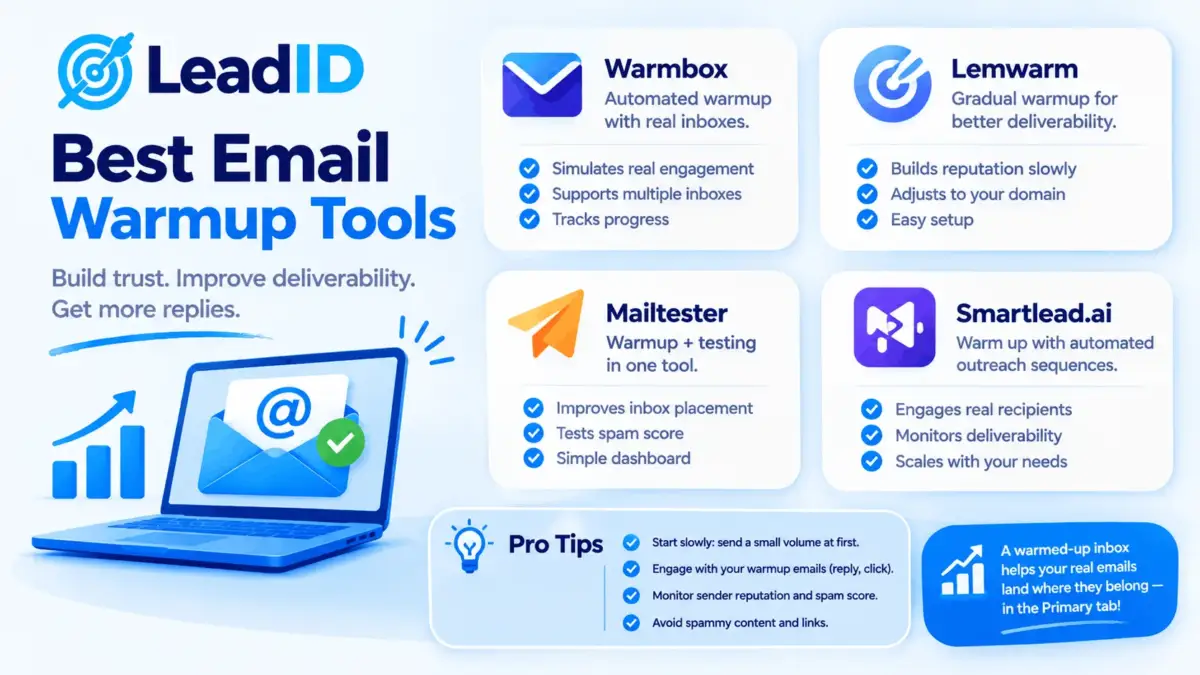
Most roundups of the best email warmup tools skip the one question every sender is quietly asking: does automated warmup even work in 2026, now that Google and Yahoo tightened the bulk-sender rules and Gmail is better than ever at spotting fake engagement? The honest answer is yes, but less than it used to, and only when you pick the right tool for your setup.
This guide covers the 12 best email warmup tools worth paying for in 2026, with current pricing, how each one actually works, and the specific setups each fits. You will also see the flat-rate vs per-inbox cost math that saves agencies 90%+ at scale, the built-in vs dedicated warmup decision for teams already on Instantly or Smartlead, and when skipping warmup altogether is the right call. Picking the right tool only pays off when the email warmup ramp itself is dialed in: 14 to 21 days of controlled volume increase before any real cold outreach starts.
Key Takeaways
Quick Answer: Best Email Warmup Tools By Use Case
Agencies / 10+ inboxes: TrulyInbox or Mailivery ($29/mo flat, unlimited inboxes).
Already on Instantly or Smartlead: use the built-in warmup. It’s unlimited and included.
Deliverability repair after a reputation hit: InboxAlly ($149/mo) or Folderly ($96+/mailbox).
Single mailbox, Gmail-focused: Warmup Inbox ($15-$19/mo).
Enterprise with Google Workspace / Postmaster integration: Mailreach ($25/inbox) or Warmy (quote-based).
Does Email Warmup Still Work In 2026 (The Honest Answer)
Yes, but less than it did in 2020, and never alone. That is the consensus across non-vendor sources (Zeliq, Warmforge, Mailivery) when you strip out the warmup companies selling you something.
Mailbox warmup sits one layer above IP warmup; the dedicated IP vs shared IP ramp applies to the ESP’s sending IP rather than the individual inbox, and runs for 4-6 weeks when you move to a dedicated IP at 100K+ monthly volume.
In 2020, automatic warmup worked remarkably well. A tool like Mailreach could pull a brand-new mailbox from 10% inbox placement to 85% in two weeks, no sender history required. By 2026, Gmail and Microsoft got significantly better at spotting the signals warmup tools leave behind: fixed send schedules, rigid reply templates, batches of inbox opens inside the same minute. Google has never publicly flagged warmup as spam specifically, but it has flagged every behavioral pattern cheap warmup tools produce.
What drives inbox placement in 2026, ranked:
- Authentication: SPF, DKIM, and DMARC aligned on the sending domain. Fail any of these and no warmup saves you.
- User engagement rate: real opens, real replies, no “Report Spam” clicks above 0.3%.
- Per-mailbox volume: stay under Gmail’s documented sending limits (500/day free, 2,000/day Workspace).
- List hygiene: bounce rate under 2%, zero spam traps.
- Content quality: no spam trigger words, clean HTML-to-text ratio, visible unsubscribe link.
- Warmup: helps new domains and mailboxes significantly; declining return on mature inboxes with established positive signal.
Warmup used to carry 60%+ of the deliverability load for cold outreach. In 2026, it carries closer to 20-30%. The other 70-80% comes from authentication, engagement, and list quality. That is the real reason to buy a warmup tool: as one pillar inside a broader deliverability program, not as a magic switch.
Pro tip: if your DMARC record still has p=none or your SPF has multiple includes blowing past the 10-lookup limit, no warmup tool fixes that. Run MXToolbox’s DMARC checker first.
What To Look For In An Email Warmup Tool
Five criteria separate the warmup tools that actually move inbox placement from the ones running the same template conversations in a 15,000-inbox echo chamber:
- Network size and diversity: 25,000+ real seed inboxes across Gmail, Outlook, Yahoo, and corporate domains is the floor. Small recycled networks (under 5,000) show up as pattern noise to Gmail.
- Behavioral variation: randomized send times, varied reply templates, forward-and-mark-important actions. Fixed-schedule warmup is detectable at scale.
- Volume ramp control: gradual increase from 2-5 sends/day in week one up to 30-40/day by week four. Jumping to full volume too fast is the single biggest cause of warmup failure.
- Deliverability reporting: live inbox-vs-spam placement test with named providers (not just a vendor “heat score”). Google Postmaster Tools integration is a plus.
- Pricing model that fits scale: flat-rate per account for agencies and 10+ inbox setups; per-inbox for enterprise with 1-5 mailboxes needing white-glove service.
12 Best Email Warmup Tools At A Glance
Full comparison of the 12 best email warmup tools worth paying for in 2026. Pricing is the published monthly entry tier, verified against vendor sites as of October 2026.
| TOOL | CATEGORY | ENTRY PRICE | BEST FIT |
|---|---|---|---|
| Mailreach | Dedicated | $25/inbox/mo | Enterprise + Postmaster |
| TrulyInbox | Dedicated | $29/mo flat, unlimited | Agencies, 10+ inboxes |
| Mailivery | Dedicated | $29/mo flat, unlimited | AI persona variety |
| Warmup Inbox | Dedicated | $15-$19/mo | Single-mailbox, simple UI |
| Warmbox | Dedicated | $15/mo single inbox | Country-targeted network |
| Warmforge | Dedicated | $12/inbox/mo | Budget + auth automation |
| InboxAlly | Enterprise repair | $149/mo (100 seeds) | Reputation recovery |
| Folderly | Enterprise suite | $96-$120/mailbox/mo | Deliverability + scoring |
| Instantly | Built-in (sender) | $30/mo (bundled) | Already running Instantly |
| Smartlead | Built-in (sender) | $39/mo (bundled) | Already running Smartlead |
| Lemwarm (Lemlist) | Built-in (sender) | $29-$49/mo (bundled) | Lemlist users, Smart Cluster |
| Woodpecker | Built-in (sender) | $29/slot/mo (bundled) | Conservative ramp + bounce shield |
The 12 Best Email Warmup Tools In Detail
1. Mailreach
Mailreach is the enterprise-standard email warmup tool for Google Workspace and Microsoft 365 senders who care more about Postmaster integration and detailed deliverability reporting than price. Operated out of Paris, the platform runs a 25,000+ real-inbox network and ships a dense dashboard with per-provider placement data broken out across Gmail inbox, Promotions tab, and Spam folder. Connect your mailbox via OAuth, set the daily send cap you want to warm up to, and the tool starts generating two-way conversation threads with its seed inboxes at a human pace. Each seed opens, replies, marks important, and pulls your mailbox out of Promotions when needed, which is the engagement signal Gmail reads when deciding placement for your real campaigns.

Mailreach Pricing: $25/inbox/mo on the Starter plan. Drops to around $15.60-$19.50/inbox at 50+ inboxes with annual billing. Separate Spam Checker add-on at $29/mo.
Standout: inbox placement test runs the actual message you plan to send against named provider seed boxes (Gmail, Outlook, Yahoo, iCloud, Zoho) and shows exactly where it lands. Native Google Postmaster Tools pull-in is unique to this tool among the 12 covered here.
Watch for: the UI is dense enough that first-time users spend 20-30 minutes finding the right settings. Also, Mailreach’s content gently nudges users away from Lemwarm and Instantly’s built-in warmup; take that with the obvious grain of salt.
| MAILREACH PROS | MAILREACH CONS |
|---|---|
| ✓ Deepest per-provider placement reporting of the 12 tools covered | ✗ Per-inbox pricing scales badly past 10 mailboxes |
| ✓ Native Google Postmaster Tools integration | ✗ Dense UI with 20-30 minute learning curve |
| ✓ 25,000+ real inbox network across Gmail, Outlook, Yahoo, Zoho | ✗ Content pushes against competitor built-in warmup |
2. TrulyInbox
TrulyInbox is the flat-rate unlimited-inbox email warmup tool that broke the per-inbox pricing model agencies hated. One $29/mo subscription warms every mailbox you connect, which at 20 inboxes beats Mailreach’s cost by 94%. Under the hood, TrulyInbox pairs each connected mailbox with its warmup network and runs a daily volume ramp from 2-5 sends per day in week one up to 30-40 sends in week four, with inbound replies, opens, and spam-folder rescues flowing both ways to generate the trust signal Gmail reads. Connections support Gmail, Google Workspace, Outlook, Office 365, and plain SMTP, so almost every cold-outreach setup plugs in without configuration gymnastics. For agencies and SDR teams running 10+ mailboxes, flat-rate dominates every other pricing model on cost per inbox warmed.

TrulyInbox Pricing: Free tier available (limited volume). Paid: $29/mo flat for unlimited inboxes. No per-mailbox fees, no volume gates.
Standout: best per-inbox economics in the entire warmup category once you’re past 3-4 mailboxes. Supports Gmail, Google Workspace, Outlook, Office 365, and custom SMTP, which covers 95% of cold-outreach setups.
Watch for: network is smaller than Mailreach’s and the deliverability reporting is lighter. Enterprise senders who need Postmaster integration will outgrow it.
| TRULYINBOX PROS | TRULYINBOX CONS |
|---|---|
| ✓ Flat $29/mo for unlimited inboxes (best agency economics) | ✗ Smaller seed network than Mailreach |
| ✓ Free tier available for low-volume testing | ✗ Lightweight deliverability reporting |
| ✓ Supports every major mailbox provider plus SMTP | ✗ No Google Postmaster integration |
3. Mailivery
Mailivery is the other flat-rate unlimited-inbox email warmup tool at the $29/mo tier, built around one clear differentiator: AI-generated reply personas per inbox, so the warmup conversations your mailboxes send and receive look different mailbox-to-mailbox rather than template-identical. The product uses language models to vary message length, tone, timing, and vocabulary per connected inbox, which directly attacks the pattern-detection problem that killed Lemwarm’s early template approach. Setup follows the standard flat-rate flow (connect inbox, set target volume, let the daily ramp run) with the AI engine handling conversation diversity automatically in the background. For teams worried their warmup is leaving pattern fingerprints Gmail can read, Mailivery is the clearest answer in the category.

Mailivery Pricing: $29/mo flat for unlimited inboxes. Higher tiers add reporting features.
Standout: AI personas vary language, length, and reply timing per inbox. This directly attacks the “detectable warmup pattern” problem that killed Lemwarm’s early template approach.
Watch for: AI-generated content occasionally reads as too polished for genuine small-business conversation; manual review of a sample is worth doing in the first week.
| MAILIVERY PROS | MAILIVERY CONS |
|---|---|
| ✓ AI persona variation prevents pattern detection | ✗ AI content occasionally reads too polished |
| ✓ $29/mo flat for unlimited inboxes | ✗ Smaller network than Instantly’s bundled warmup |
| ✓ Works across Gmail, Outlook, SMTP | ✗ Reporting less detailed than Mailreach’s |
4. Warmup Inbox
Warmup Inbox is the simplest email warmup tool in the category and the one most solo founders start with. The interface is three screens: connect inbox, set target volume, let it run, with no settings depth or learning curve. Under the stripped-down UI, the warmup engine runs a credible network of real inboxes that open, reply, mark important, and move messages out of Promotions, with daily reporting on how your sender reputation is trending across Gmail. Pricing scales per inbox, which keeps the entry cost tiny for a single mailbox but becomes expensive the moment the team starts adding mailboxes. For solo users warming one business inbox before cold outreach starts, nothing is faster to set up or easier to maintain.

Warmup Inbox Pricing: Basic $19/mo (or $15/mo annual), Pro $59/mo, Max $99/mo, all per inbox.
Standout: cheapest entry tier that still has a credible network size. Gmail-focused warmup patterns, which fits the Gmail-heavy B2B cold outreach segment.
Watch for: per-inbox pricing scales badly past 3-4 mailboxes. Teams that end up adding mailboxes month after month should migrate to flat-rate before they hit $100/mo.
| WARMUP INBOX PROS | WARMUP INBOX CONS |
|---|---|
| ✓ Fastest setup in the category (under 5 minutes) | ✗ Per-inbox pricing scales badly past 3-4 mailboxes |
| ✓ Cheapest paid tier ($15/mo annual) | ✗ Basic reporting versus Mailreach |
| ✓ Gmail-focused warmup patterns fit B2B cold outreach | ✗ Limited network diversity |
5. Warmbox
Warmbox is the country-targeted email warmup tool with the largest reported seed network in the category, 35,000-100,000 real inboxes depending on plan, filtered by country and provider. The pitch: a US-targeted outreach campaign gets warmed by US-based inboxes, not a random global pool that triggers geo-mismatch filters at Gmail and Outlook. Under the hood, Warmbox lets you pick one of four warmup recipes (Standard, Reputation Rescue, Professional, Fast Warm) that match ramp speed to risk tolerance, then schedules daily send volume to match the recipe. The daily warmup runs in the background while the recipient geo-matching logic quietly reduces the regional mismatch signals that otherwise show up as deliverability friction.

Warmbox Pricing: Solo $15/mo single inbox, Startup $79/mo (4 inboxes), Growth $159/mo (10 inboxes), Agency custom.
Standout: four warmup “recipes” (Standard, Reputation Rescue, Professional, Fast Warm) match ramp speed to risk tolerance. Country-based seed targeting is unique in the category.
Watch for: at 10+ inboxes, the Growth tier at $159/mo loses to TrulyInbox’s $29 flat rate. Keep Warmbox for small inbox counts where country targeting earns the premium.
| WARMBOX PROS | WARMBOX CONS |
|---|---|
| ✓ Largest seed network (up to 100,000 inboxes) | ✗ Growth tier loses to flat-rate at 10+ inboxes |
| ✓ Country-based seed targeting is unique in category | ✗ Reporting basic compared to Mailreach |
| ✓ Four recipe options for different risk levels | ✗ Country-targeting mostly matters at enterprise scale |
6. Warmforge
Warmforge is the budget-tier email warmup tool at $12/inbox/mo that bundles something no competitor includes: automated SPF, DKIM, and DMARC DNS setup, the one deliverability chore most teams skip until a Gmail bounce forces the issue. Pay once, get both the warmup ramp and the auth setup you probably needed anyway. The warmup engine runs the standard 14-day minimum ramp with gradual volume increase, and the dashboard shows both the warmup heat score and the auth record status on a single screen. Who it fits best: teams spinning up new sending domains who want warmup and authentication wrapped into one subscription instead of coordinating a DNS vendor and a warmup vendor separately.

Warmforge Pricing: $12/inbox/mo. Annual discounts available.
Standout: only tool here that includes automated DNS record setup for SPF, DKIM, and DMARC. Prescribes a 14-day minimum ramp, which matches the actual physiology of inbox trust-building.
Watch for: smaller network than Mailreach or Warmbox. Deliverability reporting is basic. The auth setup is the real reason to pick this one.
| WARMFORGE PROS | WARMFORGE CONS |
|---|---|
| ✓ Cheapest paid dedicated tool at $12/inbox/mo | ✗ Smaller network than Mailreach or Warmbox |
| ✓ Automated SPF, DKIM, DMARC setup (unique) | ✗ Basic deliverability reporting |
| ✓ 14-day minimum ramp matches physiology | ✗ Newer product with smaller user base |
7. InboxAlly
InboxAlly is a different kind of email warmup tool: real seed inboxes engage with your actual campaign emails (open, mark as important, reply, drag out of Promotions), not with simulated warmup messages. That design makes it the one most senders pick after a reputation hit, when standard warmup is not pulling placement back fast enough. Under the hood, you forward or BCC your real campaign emails into InboxAlly’s seed pool, and the seeds generate engagement signals attached to the exact content you need Gmail to prioritize. The seed network is Gmail-focused and transparent about its scale, which is why the pricing per seed runs higher than warmup tools using recycled template messages.

InboxAlly Pricing: Starts at $149/mo for 100 seed inboxes. Higher tiers scale the seed pool.
Standout: works on live campaign emails, so the engagement signal reaches Gmail attached to the exact content you want in the inbox. Gmail-focused and transparent about it.
Watch for: price per seed is high. Use this when a reputation repair is urgent, not as a day-one warmup for a brand new mailbox (which is 10x cheaper with TrulyInbox).
| INBOXALLY PROS | INBOXALLY CONS |
|---|---|
| ✓ Engagement on real campaign content, not simulated | ✗ Price per seed is highest of the 12 tools covered |
| ✓ Fastest reputation recovery when placement cratered | ✗ Overkill for day-one warmup on a new mailbox |
| ✓ Transparent about Gmail-focused seed network | ✗ Gmail focus leaves Outlook under-covered |
8. Folderly
Folderly is the enterprise deliverability suite that includes an email warmup tool as one of five modules, alongside spam content scanning, domain authentication monitoring, blacklist tracking, and inbox placement testing. Priced for teams running outbound at scale with a dedicated deliverability role, not for solo senders. The warmup engine runs the standard real-inbox network ramp, but the real value is the surrounding infrastructure: spam content scanning flags trigger words before send, auth monitoring catches a broken SPF record before a campaign goes out, and placement testing runs against named provider seed boxes on demand. Annual contracts and $100+/mailbox pricing rule it out for small teams, but for enterprise outbound teams the five-module bundle justifies the premium.

Folderly Pricing: $96-$120 per mailbox per month, 12-month contract required. Enterprise custom beyond that.
Standout: the only tool here that scans your actual email content for 350+ spam triggers before send, inside the same product that handles warmup and auth checks. Mature enterprise feature set.
Watch for: annual contracts and $100+/mailbox pricing rule it out for anyone under 20 inboxes. Overkill for a pure warmup need.
| FOLDERLY PROS | FOLDERLY CONS |
|---|---|
| ✓ Five-module deliverability suite (not just warmup) | ✗ 12-month contract required |
| ✓ Spam content scanning on 350+ triggers before send | ✗ $96-$120/mailbox out of reach for small teams |
| ✓ Mature enterprise feature set with dedicated support | ✗ Overkill for teams needing warmup only |
9. Instantly (Built-In Warmup)
Instantly ships its own email warmup tool bundled unlimited with every sender plan, backed by a reported 1M+ account network, the largest in the industry if the claim holds. If you already pay for Instantly’s sequencer, you probably do not need to buy a dedicated warmup tool on top. The warmup engine is tightly integrated with the sending engine: both share the same mailbox pool, the same reputation signals, and the same scheduling logic, so warmup never collides with real sending volume. The product’s internal “heat score” estimates your mailbox’s placement trajectory, though multiple user reports show the score drifting away from independent placement test results, so verify monthly with Mailreach’s or GlockApps’s independent test.

Instantly Pricing: Growth plan from $30/mo, warmup included unlimited. Higher tiers add contacts and sends.
Standout: largest claimed warmup network in the industry at over 1M accounts. Fully integrated inside the sender platform, so warmup and sending share the same mailbox pool and reputation data.
Watch for: Instantly’s “heat score” has drifted away from live deliverability in multiple user reports. Treat the score as a trailing indicator and verify with an independent placement test (Mailreach’s or GlockApps) monthly.
| INSTANTLY PROS | INSTANTLY CONS |
|---|---|
| ✓ Largest claimed network (1M+ accounts) | ✗ Heat score has drifted from live deliverability |
| ✓ Unlimited warmup bundled with Growth plan at $30/mo | ✗ Requires Instantly subscription to access |
| ✓ Native integration with Instantly’s sequencer | ✗ Must buy sender platform even if you only want warmup |
10. Smartlead (Built-In Warmup)
Smartlead’s built-in email warmup tool is the one most agencies run because the sender platform charges by mailbox slot ($39/mo) with unlimited warmup, unlimited email sends, and unlimited inbox rotation inside the plan. The warmup network is vetted but not publicly sized, which is a trust tradeoff worth noting. The operational strength is the real pitch: warmup, sending, and inbox rotation share one control surface, so a 20-mailbox agency setup gets managed inside a single dashboard rather than four separate tools. Native inbox rotation across all connected mailboxes keeps per-mailbox volume safely under the Gmail and Workspace daily caps without manual throttling, which is where most agency sender-reputation incidents actually originate.

Smartlead Pricing: Basic $39/mo (2,000 active leads, unlimited warmup + sending). Higher tiers scale leads only.
Standout: native inbox rotation across all connected mailboxes keeps per-mailbox volume safe without manual throttling. Warmup, sending, and rotation share one control surface.
Watch for: network size is not published, so comparison against Mailreach or Instantly is harder. For most agency teams, Smartlead’s warmup is enough; add a dedicated tool only if deliverability data flags an issue.
| SMARTLEAD PROS | SMARTLEAD CONS |
|---|---|
| ✓ Unlimited warmup + sending + rotation on one plan | ✗ Network size not publicly disclosed |
| ✓ Native inbox rotation prevents per-mailbox overload | ✗ Must buy sender platform to access warmup |
| ✓ Agency-friendly $39/mo per mailbox slot | ✗ Reporting less deep than Mailreach’s placement tests |
11. Lemwarm (Lemlist)
Lemwarm is the warmup tool bundled with Lemlist (the sender platform) and the one that pioneered the entire category back in 2018. Its “Smart Cluster” feature matches your sending domain to similar-industry seed domains, so a SaaS mailbox gets warmed by other SaaS mailboxes and a logistics mailbox by other logistics domains, which lifts the realism of the warmup conversation flow. The product’s early reliance on fixed templates got detected by Gmail years ago, which is why the templates have been iterated multiple times since 2022. Current templates read as more conversational, but legacy concerns still show up in competitor copy. Available only to Lemlist subscribers now, so the warmup decision is also a sender platform decision.

Lemwarm Pricing: Bundled with Lemlist plans at $29-$49/mo. Not available standalone anymore.
Standout: Smart Cluster industry-domain matching improves warmup realism. Deep integration with Lemlist’s sequencer and personalization.
Watch for: only usable if you buy Lemlist’s sequencer, which is a bigger commitment than a pure warmup tool. Legacy template detection concerns still linger in competitor copy, though current templates have been updated.
| LEMWARM PROS | LEMWARM CONS |
|---|---|
| ✓ Smart Cluster industry-domain matching (unique) | ✗ Only available as part of Lemlist subscription |
| ✓ Pioneer of the warmup category since 2018 | ✗ Legacy template detection concerns persist |
| ✓ Deep Lemlist sequencer integration | ✗ Bundled pricing means paying for sequencer too |
12. Woodpecker (Built-In Warmup)
Woodpecker bundles warmup with its sender platform and runs the most conservative volume ramp in the category, plus a “bounce shield” that auto-pauses sending the moment deliverability signals degrade mid-campaign. The combination fits teams that would rather send 20% less volume than risk a Gmail block. Under the hood, Woodpecker’s warmup engine ramps mailbox volume slowly over 21-30 days (versus 14 for most competitors), and the bounce shield continuously monitors reputation signals during real campaigns, pulling the brakes before a batch of bounces damages your sender reputation. The product’s philosophy aligns with how deliverability professionals actually recommend sending, with lower daily volume ceilings than Smartlead as the tradeoff.

Woodpecker Pricing: $29/slot/mo with warmup included. Multiple slot options scale with mailbox count.
Standout: bounce shield is unique in built-in warmup; auto-pause on reputation signal is a safety net Instantly and Smartlead do not match. Conservative ramp philosophy aligns with how deliverability professionals actually recommend sending.
Watch for: volume caps feel tight compared to Smartlead. Teams needing 1,500+/day per mailbox will outgrow it.
| WOODPECKER PROS | WOODPECKER CONS |
|---|---|
| ✓ Conservative 21-30 day ramp protects reputation | ✗ Daily volume caps feel tight for high-volume agencies |
| ✓ Bounce shield auto-pauses on reputation signal | ✗ Must buy Woodpecker sender platform |
| ✓ Deliverability-first philosophy | ✗ Smaller network than Instantly’s 1M+ accounts |
Flat-Rate Vs Per-Inbox: The Economics That Change At Scale
The single biggest cost decision inside the email warmup tools category is pricing model, not brand. Flat-rate plans (TrulyInbox, Mailivery at $29/mo for unlimited inboxes) crush per-inbox plans (Mailreach, Warmbox, Warmup Inbox) as soon as you pass 3-4 mailboxes.
Here is the monthly cost comparison across common inbox counts:
| INBOXES | MAILREACH ($25/EACH) | WARMUP INBOX ($19/EACH) | TRULYINBOX ($29 FLAT) | FLAT-RATE SAVES |
|---|---|---|---|---|
| 3 inboxes | $75 | $57 | $29 | 49-61% |
| 10 inboxes | $250 | $190 | $29 | 85-88% |
| 20 inboxes | $500 | $380 | $29 | 92-94% |
| 50 inboxes | $1,250 | $950 | $29 | 97% |
| 100 inboxes | $2,500 | $1,900 | $29 | 98% |
The flat-rate advantage is overwhelming past 10 inboxes. Why would anyone buy per-inbox then? Three legitimate reasons: deeper deliverability reporting (Mailreach’s placement tests), country-targeted networks (Warmbox), and enterprise security requirements that rule out smaller vendors (Folderly). Everyone else should pick flat-rate.
Built-In Vs Dedicated Warmup: When To Pick Which
If you already pay for a sender platform with built-in warmup (Instantly, Smartlead, Lemlist, Woodpecker, Mailshake), the default answer is: use what’s included. Adding Mailreach or Warmbox on top is often redundant and sometimes counterproductive, since both tools send warmup messages from the same mailbox and the volume stacks faster than Gmail’s trust-building window allows.
The three cases where dedicated warmup beats built-in:
- You’re not using a sender platform. Sending from a plain Gmail or Workspace account directly, with no sequencer, means warmup is not bundled anywhere. Pick a dedicated tool.
- Deliverability has already degraded. Built-in warmup is designed for new mailboxes, not reputation repair. If placement cratered, InboxAlly or Mailreach’s targeted work beats the generic ramp inside Instantly.
- You need audit-grade reporting. Mailreach’s per-provider placement tests and Postmaster integration give deliverability data your built-in warmup heat score does not. Enterprise compliance teams want this.
How Google And Yahoo’s 2024 Rules Changed Email Warmup
In February 2024, Google and Yahoo rolled out bulk-sender rules that reset what “deliverability” means in cold outreach. Three thresholds matter:
- 5,000+ messages/day to Gmail = bulk sender. Primary domain and subdomains count together. Hit this threshold and the full SPF/DKIM/DMARC alignment requirement kicks in.
- 0.3% spam complaint rate = hard failure. Three complaints per 1,000 sends is the enforcement line. Above 0.1% placement starts quietly degrading. The threshold applies to every sender, not just bulk.
- One-click unsubscribe required for every marketing email. RFC 8058 header plus a working link in the footer.
Microsoft followed with similar enforcement on May 5, 2025. Gmail’s Postmaster Tools v2 launched in October 2025, retiring the old High/Medium/Low domain reputation grades and replacing them with per-day sender-score snapshots.
What this did to warmup: the share of deliverability outcome driven by warmup fell from 60%+ (in 2020-2022) to roughly 20-30% (in 2026). The share driven by authentication and complaint rate climbed. A perfectly warmed mailbox still lands in spam if DMARC is misconfigured, or if daily sends push past the per-mailbox spam flag threshold that Gmail enforces at 0.3% complaint rate.
When To Skip Email Warmup Entirely
Warmup is not free. Beyond the tool cost, it eats mailbox send volume for 2-4 weeks before you can start real outreach. Three scenarios where skipping it is the right call:
- Mature mailbox with established sending history. A Google Workspace account that has been sending 100-300 business emails/day for a year already has the engagement signal warmup is trying to manufacture. Starting a warmup tool on it is noise, not help.
- Low-volume sending (under 50 emails/day total). At that volume, you are well under Gmail’s rate limits and the reputation signal from your own sends is enough. The warmup tool’s artificial engagement adds detectable noise.
- Transactional-only sending. Password resets, receipts, and shipping confirmations have the highest open rates in email (62%+ for shipping confirmations). The engagement signal is already max. Warmup is overhead.
Where warmup clearly earns its spot: brand new domain or mailbox with zero sending history, cold outreach volume above 100/day per mailbox, or a mailbox that recently had a reputation hit and needs to climb back out of spam placement.
Bottom Line
The best email warmup tools in 2026 are not the ones with the biggest claimed network or the shiniest dashboard. They are the ones that match your pricing model (flat-rate for agencies at 10+ inboxes, per-inbox for enterprise reporting needs) and your sender setup (built-in if you’re on Instantly or Smartlead, dedicated otherwise).
TrulyInbox and Mailivery win on economics for agencies. Mailreach wins on reporting depth for enterprise. InboxAlly wins on reputation repair. Instantly and Smartlead win on bundling for teams already paying for their sender. Pick by setup, not by brand.
And remember the honest ceiling: warmup carries 20-30% of your deliverability outcome in 2026. The other 70-80% is authentication, engagement, list quality, and sending volume discipline. Buying the best email warmup tool on the market while skipping DMARC is burning money.
FAQs
1- What are the best email warmup tools in 2026?
TrulyInbox and Mailivery for flat-rate unlimited inboxes at $29/mo, Mailreach for enterprise reporting at $25/inbox, InboxAlly for reputation repair at $149/mo, and the built-in warmup inside Instantly or Smartlead for teams already running those sender platforms.
2- Is email warmup still effective in 2026?
Yes, but less than it was in 2020. Google and Yahoo’s 2024 bulk-sender rules shifted deliverability weight from reputation signals to authentication and complaint rate. Warmup carries roughly 20-30% of the outcome now, down from 60%+. It still helps brand new mailboxes significantly; returns on mature mailboxes with established positive history are smaller.
3- How long should an email warmup last?
14 days minimum for a brand new mailbox, 21 to 30 days for a cold-outreach mailbox that will push 100+/day. Jumping to full volume before day 14 is the single biggest cause of warmup failure. Build to 2-5 sends/day in week one, 10-15/day in week two, 20-30/day in week three, then start real outreach.
4- Is a free email warmup tool worth using?
Free tiers (TrulyInbox, Warmforge) are useful for a 7-day trial on a single mailbox. For actual outreach, the paid tier is cheap enough ($19-$29/mo) that saving $20 by running a free tool with network caps is a false economy. The seed network size, not the free tier, is what matters.
5- Does warmup help with the 2024 Google/Yahoo bulk-sender rules?
Indirectly. Warmup does not satisfy any of the three bulk-sender requirements (SPF/DKIM/DMARC alignment, under 0.3% complaint rate, one-click unsubscribe). It can help improve engagement signal, which reduces complaint rate over time, but authentication and content quality are the direct levers.
6- Should I use the warmup built into Instantly or Smartlead?
Yes, if you’re already paying for those sender platforms. Both include unlimited warmup bundled with the plan. Adding Mailreach or Warmbox on top is usually redundant unless you need audit-grade deliverability reporting the built-in tools do not provide.
7- Can email warmup damage my sender reputation?
It can, if the tool uses detectable patterns (fixed send times, template reply content, batch-opens inside the same minute) and your mailbox is already under scrutiny. Low-quality warmup networks with small recycled seed pools are the main offender. Pick tools with 25,000+ real seed inboxes and behavioral variation to avoid this.
8- What’s the difference between email warmup and inbox placement testing?
Warmup builds sender reputation by generating positive engagement signal from seed inboxes over time. Inbox placement testing (Mailreach, GlockApps) is a one-shot test that sends your specific email content to a panel of seed addresses and reports exactly which folder it landed in across Gmail, Outlook, Yahoo, iCloud, and others. Different problems, both useful.
9- Do I need a warmup tool if I’m using a brand new domain?
Yes. New domains and new mailboxes have zero reputation signal with Gmail and Microsoft. Without warmup, cold outreach sends from day one will land in spam at 70%+ rates. The 14-21 day warmup period is where the mailbox gets its first positive signal history, which is what Gmail reads when it decides inbox vs spam on your first real campaign.
10- Which is the cheapest email warmup tool worth paying for?
Warmforge at $12/inbox/mo is the cheapest paid dedicated tool with credible features (includes SPF/DKIM/DMARC setup automation). TrulyInbox at $29/mo flat for unlimited inboxes is the cheapest per-inbox effective rate for anyone running 2+ mailboxes. Below those, free tiers exist but will not scale beyond trial use.




Pingback: Cold Email Outreach in 2026: Process, Tips, and Mistakes to Avoid
Pingback: Cold Email Deliverability 2026: Why It Drops and How to Fix It
Pingback: Email Warmup in 2026: 30-Day Schedule, Tools, and Deliverability Rules