A noreply email address was the default way companies sent one-way email for two decades. In 2026, it is slowly becoming a liability. Google and Yahoo’s 2024 bulk-sender rules effectively killed noreply for marketing email, Apple’s Mail Privacy Protection broke the “no replies expected” promise, and brand teams are moving to real reply-to addresses because customers notice when a company signals it does not want to hear back.
This guide covers what a noreply email address actually is, what happens when a customer replies to one, real-world noreply email examples, exact setup steps across Gmail, Google Workspace, Outlook, and custom domains, the eight best practices that keep a noreply mailbox safe in 2026, and when a better alternative beats noreply entirely. Authentication, reputation, and complaint rate decide whether a noreply mailbox lands in inbox or spam, which is the same math that drives cold email deliverability for every other sender.
Key Takeaways
Quick Answer: Noreply Email Address In One Minute
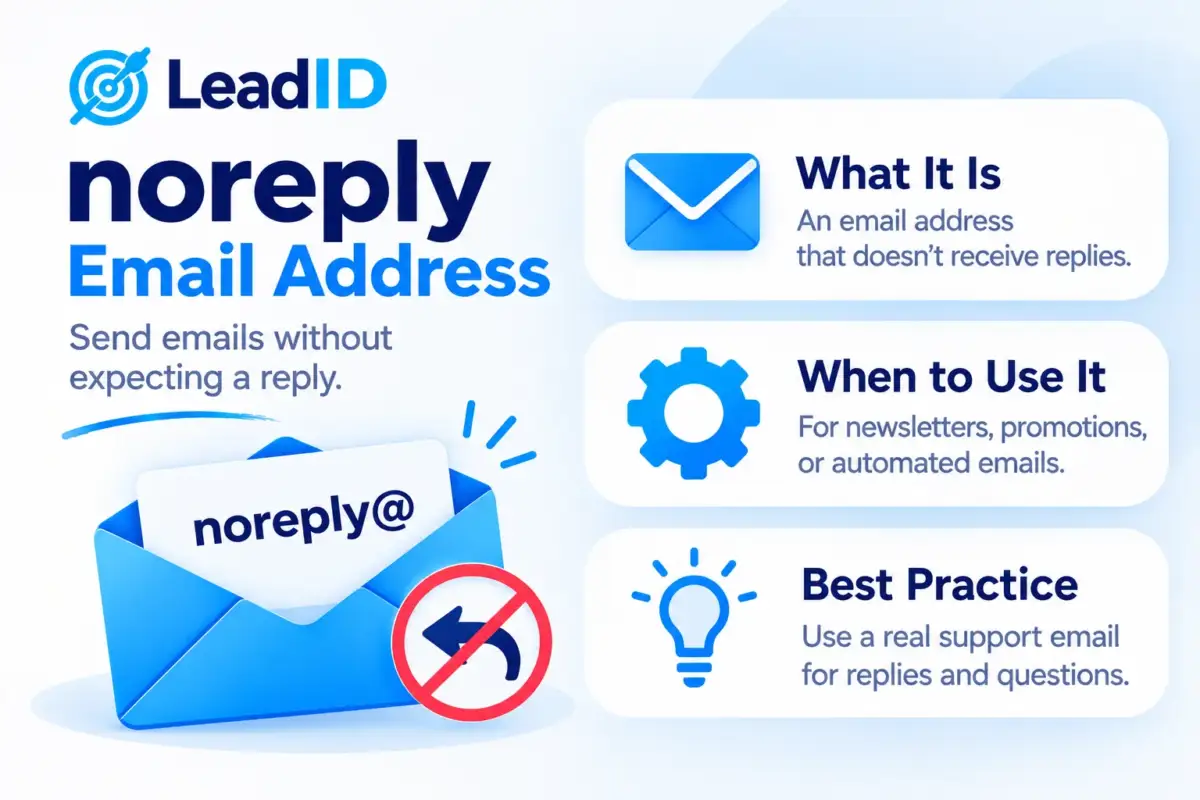
[email protected] that is set up not to accept inbound replies. Used to signal that the email is one-way broadcast.
When to use one: transactional sends where no reply is useful (password reset codes, order confirmations, security alerts, two-factor codes).
When to skip it: marketing emails, newsletters, customer service, cold outreach, or anything where a human might want to respond.
What happens when someone replies: bounces back with a Mailer Daemon error, gets filtered silently to trash, or lands in an unmonitored inbox. All three leave the customer ignored.
The 2026 trend: away from noreply, toward monitored shared inboxes (hello@, team@) with smart auto-replies.
What Is A Noreply Email Address
What is noreply, in one sentence: a noreply email address is a sending-only email address, usually formatted as [email protected], [email protected], or [email protected], that a company uses when it wants to send email without accepting replies. The format is a convention, not a technical standard; what makes it “noreply” is how the receiving mailbox is configured on the server side.
Three different setups all go by the name “noreply” in practice:
- Hard noreply: the mailbox does not exist at all. Any inbound reply triggers an SMTP 550 “mailbox not found” bounce from the receiving mail server.
- Soft noreply: the mailbox exists but is set to auto-discard, forward to /dev/null, or move everything inbound to Trash. Replies disappear silently with no error back to the sender.
- Auto-reply noreply: the mailbox exists, accepts the reply, and responds with an automated “This mailbox is not monitored. For support, visit example.com/help” message. More polite, still one-way.
The intent across all three is the same: tell the recipient that this address is not for conversation. The quality of execution is what differs, and it shapes how the customer feels about the brand on the other end.
What Happens When You Reply To A Noreply Email
What happens when you reply to a no reply email depends entirely on which of the three setups above the sender used. The outcome ranges from immediate bounce to total silence.
| NOREPLY SETUP | WHAT HAPPENS TO YOUR REPLY | WHAT YOU SEE |
|---|---|---|
| Hard noreply (no mailbox) | Bounces back from the receiving mail server | Mailer Daemon error in your inbox within minutes |
| Soft noreply (auto-discard) | Silently moved to Trash or /dev/null | Nothing. No bounce, no reply, total silence |
| Auto-reply noreply | Accepted + ignored, auto-responder fires back | “This mailbox is unmonitored, visit /help” email |
| Noreply that was never configured | Lands in a real inbox that nobody checks | Nothing, ever. Your reply sits unread for years |
The fourth row is the one that burns brands. A product team sets up [email protected] as a real inbox for the launch email, forgets to configure the auto-discard, and three years later the inbox has 40,000 unread customer replies, half of them complaints that would have been easy wins if anyone had seen them.
From the customer’s point of view, every outcome except the hard bounce leaves them ignored. The hard bounce at least tells them “nobody is home here, try another channel.” Silent discard is the worst case: the customer assumes the message was received, waits for a response, and churns when none comes.
Noreply Email Address Examples From Real Brands
Every major platform uses noreply addresses for at least some of their automated email. Here are real noreply email examples pulled from common inboxes:
- Password reset codes:
[email protected],[email protected],[email protected]. Replies to any of these bounce. - Shipping confirmations:
[email protected],[email protected],[email protected]. All route replies to a soft discard. - Billing receipts:
[email protected],[email protected]. The “+statements” tag is a sub-address trick for sender-side routing, not a true inbox. - Security alerts:
[email protected],[email protected]. Hard noreply so phishing attempts to the address fail fast. - Social notifications:
[email protected],[email protected]. The long alphanumeric suffix is a tracking hash used by the sender platform.
Notice the pattern: every example above is a transactional send where no reply would be useful anyway. The customer is being told something, not asked something. That is the clean case for noreply.
The counter-examples are the email marketing campaigns some brands still send from [email protected] for newsletters, promotional blasts, or event invites. Those are the ones that erode brand trust fastest, because the implicit message is “we want you to buy, but we do not want to talk to you.”
Should You Use A Noreply Email Address In 2026
The honest answer: only for transactional sends, and even there, only if you have a good alternative routing path for customers who try to reply anyway. Here is the practical decision framework.
When Noreply Still Makes Sense
- Two-factor and security codes. Replies would route to a dead end; the only useful action is clicking the code or link.
- Password resets. Same logic. The customer needs to click, not talk.
- Automated receipts and shipping confirmations. The information is complete at delivery; a reply cannot change the order.
- System notifications (deploys, backup completions, cron job alerts). Internal infra email that nobody should reply to.
- Automated workflow confirmations inside SaaS products (“Your report is ready,” “File shared with you”). The context lives inside the app, not in the email thread.
When Noreply Is The Wrong Choice
- Marketing emails and newsletters. Google and Yahoo’s 2024 bulk-sender rules require a one-click unsubscribe plus a working reply path for complaint handling. Noreply breaks both.
- Customer onboarding emails. New users are the most likely to have real questions. Blocking replies is directly adversarial to activation rate.
- Appointment and booking confirmations. Customers often need to reschedule by email. Blocking that forces a worse channel.
- Billing notifications about failed payments. The customer may need to update a card on file or ask about a charge. Noreply forces them to find the support page while you lose dunning revenue.
- Cold outreach and sales email. The entire point of effective cold email outreach is to invite a reply. Sending it from noreply is self-defeating; it also fails spam filters at a higher rate.
Pro tip: if your email service provider lets you set a Reply-To header separate from the From header, use it. Send From [email protected] for brand consistency and set Reply-To to [email protected] for the monitored inbox. Best of both: the sender identity reads “official,” the reply path still works.
How To Make A No Reply Email: Setup Across Platforms
How to make a no reply email depends on the platform you send through. The pattern is the same everywhere: create the address, set its inbound handling (bounce, discard, or auto-reply), and configure the sender platform to use it as the From address. Here is the exact process for the four most common setups.
1. Gmail / Google Workspace
Google Workspace does not let you block inbound mail at the mailbox level directly, but it ships three workarounds that cover 95% of use cases:
- Open Admin Console at
admin.google.comand go to Directory > Users > Add new user. Create[email protected]and assign the lowest tier license you have. - Go to Apps > Google Workspace > Gmail > Routing, click Add setting, scope it to the noreply user, and set the inbound action to Reject messages with a custom bounce message (e.g. “This mailbox is not monitored. Visit example.com/help for support”).
- Alternatively, inside the noreply account itself, create a Gmail filter: Settings > See all settings > Filters and Blocked Addresses > Create a new filter. Match
has:attachment OR -has:attachment(matches everything) and set the action to Delete it.
The Admin Console routing approach is cleaner because it returns a proper bounce to the sender. The Gmail filter approach silently discards. Pick the first one if you want senders to know their reply did not land anywhere.
2. Outlook / Microsoft 365
Microsoft 365 has first-class support for restricting a mailbox to send-only, which makes it the cleanest noreply setup of the big three:
- In Exchange Admin Center > Recipients > Mailboxes, create the noreply shared mailbox or user mailbox.
- Open the mailbox properties and go to Mail flow settings > Message delivery restrictions. Under Accept messages from, choose Only senders in the following list and leave the list empty. Any inbound mail will now bounce with a server-side rejection.
- For a softer touch, add an auto-reply via Automatic replies that explains the mailbox is unmonitored and routes to the right channel. Keep the auto-reply short to avoid loop-detection flagging.
3. Custom Domain / cPanel / Hosted Email
For shared hosting with cPanel, Plesk, or a VPS running a mail server like Postfix:
- cPanel: Email Accounts > Create
[email protected]. Then go to Forwarders and forward it to:fail: This mailbox is not monitored. The Exim mail server will reject inbound messages at SMTP with your custom message. - Plesk: Mail Accounts > Create the address > set Mail bounce as the policy for incoming messages. Plesk writes the right Postfix config automatically.
- Postfix on a VPS: add
[email protected] DISCARD This address does not accept repliesto/etc/postfix/access, then runpostmap /etc/postfix/accessand reference it inmain.cfundersmtpd_recipient_restrictions.
4. Email Service Provider (Mailchimp, SendGrid, Postmark)
If you send through an ESP rather than your own mail server, the “noreply” setup moves to the ESP’s sender identity settings:
- Mailchimp: go to Audience > Settings > Audience name and campaign defaults and set
[email protected]as the From address. Mailchimp will still require a valid Reply-To (per CAN-SPAM); set that to[email protected]. - SendGrid: Sender Authentication > Verify the noreply sender address. For bounces, enable Event Webhook to capture any inbound mail routed back and ignore it in your handler.
- Postmark: Server > Signatures > Add signature. Postmark enforces a working Reply-To header by default, which is intentional. Point Reply-To at a real monitored address.
Across every ESP, the pattern repeats: From can be noreply, but Reply-To should route somewhere a human reads. ESPs enforce this because they get complaints from their own IPs when customers try to reply and nothing comes back.
8 Noreply Email Best Practices For 2026
If you have decided a noreply email address is the right call for a specific send, these eight noreply email best practices separate the versions that respect the customer from the versions that quietly burn brand trust.
- Always set a working Reply-To header, even on noreply From. From can be
[email protected]for brand consistency; Reply-To should be[email protected]or[email protected]. This single change prevents 90% of the complaint-rate damage noreply usually causes. - If you must hard-bounce replies, use a clear bounce message. “Mailbox not found” is confusing; “This mailbox is unmonitored. Reach us at [email protected] or brand.com/help” is useful. Most mail servers let you set the custom message in a routing rule.
- Include a visible contact path inside the email body. A noreply header without a help link in the body is adversarial design. Add one line: “Need help? Visit brand.com/help or email [email protected].”
- Never use noreply for marketing or newsletter sends. It trips the 2024 bulk-sender rules (missing working reply path) and raises complaint rate 2-3x versus a brand-named sender. The 0.3% spam complaint threshold is the hard line Google and Yahoo enforce, and noreply marketing sends routinely trip it.
- Audit the noreply mailbox annually. If replies ever land in a real inbox (even by mistake), there are customer messages in there. Export them, run a sentiment pass, flag anything that needed a response, and send a late apology where it still matters.
- Use consistent noreply formatting across every send. Pick one of
noreply@,no-reply@, ordo-not-reply@and use it everywhere. Mixing formats makes your transactional email look like phishing to savvy recipients. - Pass SPF, DKIM, and DMARC on the noreply domain. A noreply address with broken authentication is the single highest-risk send you can make from a reputation standpoint. If the sending domain is new, pair the auth setup with proper email warmup before any real volume goes out. Validate before every quarterly campaign.
- Include a one-click unsubscribe in any noreply bulk send (per Gmail and Yahoo’s 2024 requirements for bulk senders). RFC 8058 header plus a working link in the footer. The one-click unsubscribe is not the same as a reply path; a bulk noreply still needs both.
Better Alternatives To A Noreply Email Address
The reason most teams are retiring noreply addresses in 2026 is that three better alternatives now exist, all of which keep the operational benefit (no human overwhelmed by inbound) without the brand damage.
- Shared inbox with triage automation (Front, Help Scout, Missive, Zendesk). Customers reply to
[email protected], inbound mail hits a shared inbox, and auto-triage rules route the top 60% to self-service or FAQ links. The remaining 40% hit a human. - Reply-to alias with auto-response. Reply-To points to
[email protected]. The auto-responder fires back with a help center link and routes any direct reply to a shared inbox. Keeps the sender identity clean while giving customers somewhere to land. - Named human sender for personal touch. Marketing emails from
[email protected]instead of[email protected]lift reply rate 2-4x and open rate 15-25%, per most ESP benchmarks. The replies go to a monitored inbox the real human (or their delegate) checks daily.
The decision comes down to volume. Under 500 replies/day across all sends: a named-human alias or shared inbox with light triage works. Over 500: pay for a shared inbox tool with real routing. In neither case is noreply the right answer for anything beyond transactional.
Bottom Line
A noreply email address is a legitimate tool for a narrow use case: transactional sends where a reply would route nowhere useful anyway. For every other send, noreply damages brand trust, raises complaint rate, and quietly conflicts with Google and Yahoo’s 2024 bulk-sender rules.
The simple fix that keeps noreply viable: always set a working Reply-To header pointing at a monitored inbox, include a visible help path in the body, and never use noreply for marketing or newsletters. For the modern alternative, a shared inbox with triage automation gives you the same operational relief without the adversarial signal to customers.
FAQs
1- What is a noreply email address?
A noreply email address is a sending-only email address, usually formatted as [email protected] or [email protected], that a company uses when it wants to send email without accepting replies. The inbound side of the mailbox is configured to bounce, discard, or auto-reply, so any customer reply goes nowhere useful.
2- What happens when you reply to a no reply email?
Three outcomes: the reply bounces back with a Mailer Daemon error (hard noreply), gets silently discarded with no response (soft noreply), or receives an auto-reply pointing you to the help center (auto-reply noreply). In the fourth and worst case, nothing was configured at all and your reply sits in an unmonitored inbox forever.
3- Can you reply to a noreply email?
Technically yes, your email client will send the reply. Whether it reaches anyone depends on how the receiving company configured the mailbox. In most cases, it either bounces back as undeliverable or gets silently deleted. If you need to contact the company, use the help page, support address, or contact form on their website instead.
4- How do I make a no reply email address?
Create the mailbox on your mail provider (Google Workspace, Microsoft 365, cPanel, VPS, or ESP), then configure the inbound action. Options: reject inbound with a bounce message (cleanest), silently discard, or auto-respond with help info. The setup takes 5-10 minutes on any modern platform.
5- How do I set up a no reply email in Gmail or Google Workspace?
In Google Workspace Admin, create a [email protected] user, then go to Apps > Google Workspace > Gmail > Routing, add a routing setting scoped to that user, and set the inbound action to Reject messages with a custom bounce message. Alternatively, inside the noreply account itself, create a Gmail filter that matches all inbound mail and deletes it.
6- Is it bad practice to use a noreply email?
For transactional sends (password resets, shipping confirmations, security codes), noreply is fine and widely accepted. For marketing, newsletters, cold outreach, or anything that invites engagement, noreply damages brand trust, lowers reply rate, raises spam complaint rate, and in 2026 conflicts with Google and Yahoo’s bulk-sender requirements. Use noreply narrowly.
7- What are the best noreply email alternatives?
Three alternatives beat noreply for most sends: a monitored shared inbox like [email protected] with triage software (Front, Help Scout, Missive), a reply-to alias with an auto-responder that routes to self-service, or a named-human sender like [email protected] for marketing. All three preserve the two-way channel customers now expect.
8- Does noreply affect email deliverability?
Indirectly, yes. Noreply addresses sent for marketing raise spam complaint rate because customers who want to opt out or report an issue cannot reply and often hit “Report Spam” instead. A complaint rate above 0.3% triggers Gmail and Yahoo’s bulk-sender penalties. For transactional sends with proper authentication, noreply does not hurt deliverability.
9- What is the difference between noreply and no-reply?
No functional difference. Both are naming conventions for the same type of send-only mailbox. Common formats: noreply@, no-reply@, do-not-reply@, donotreply@. Pick one format and use it consistently across every automated send to keep your transactional email from looking like phishing.
10- Can I set a Reply-To that is different from a noreply From address?
Yes, and you should. Every modern email service lets you set the From header (sender identity) and Reply-To header (where replies route) independently. Set From to [email protected] for brand consistency and Reply-To to [email protected] for a monitored inbox. This single change solves 90% of the brand damage noreply usually causes.


Pingback: Cold Email Outreach in 2026: Process, Tips, and Mistakes to Avoid
Pingback: Email Warmup in 2026: 30-Day Schedule, Tools, and Deliverability Rules