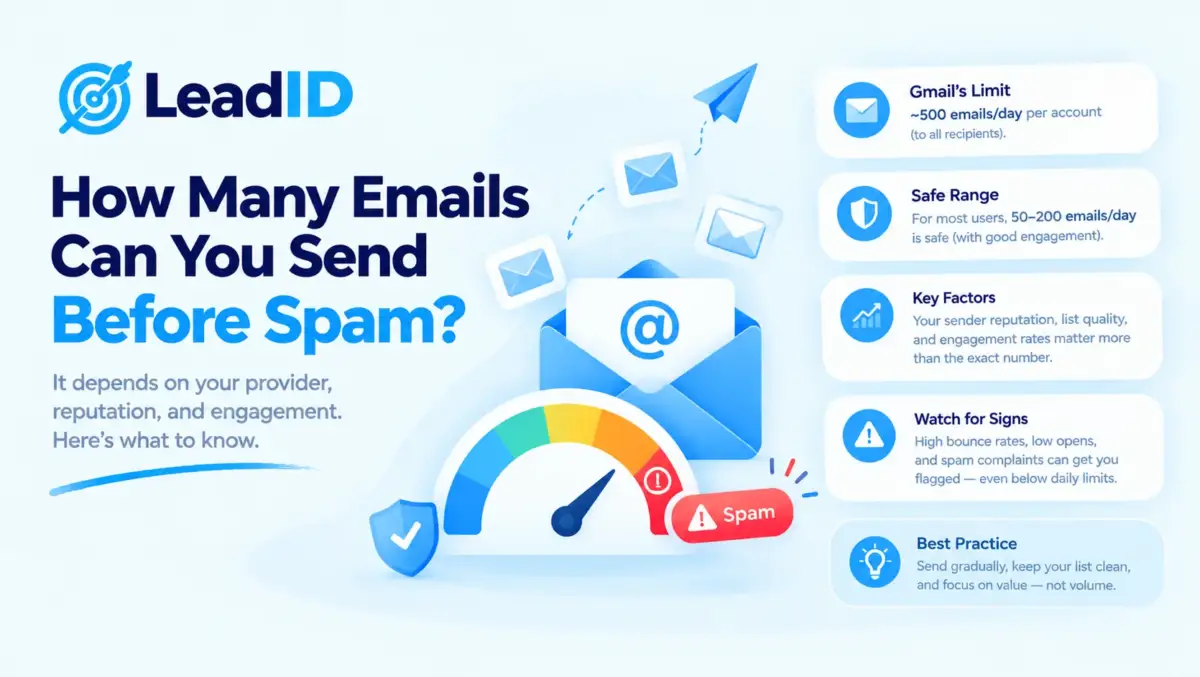
You just sent 50 cold emails from a new mailbox. Nothing seems wrong. Then your replies dry up overnight, your Sent folder shows “delivered” but nobody is opening anything, and you realize you just got sent to spam.
So how many emails can you actually send before you’re flagged as spam?
Short answer: fewer than you think. The provider limits (Gmail says 2,000 a day on Workspace) are not spam limits. They are hard caps. The real spam flag triggers at a much lower number, and it depends on your mailbox age, your bounce rate, and how your recipients react.
Below are the real numbers for 2026, pulled from Smartlead benchmarks, Google and Yahoo bulk-sender rules, and warmup data across tens of thousands of inboxes. I will keep it simple and give you the exact daily sends to stay safe, the exact signals that cause a flag, and how to recover if you cross the line.
Key Takeaways
Quick Answer: How Many Emails Before Spam?
New mailbox (0-30 days): 10 to 30 per day. More and you’ll trigger filters.
Warmed mailbox (30-90 days): 30 to 50 per day.
Fully warmed, 6+ months old: 50 to 100 per day, if your reply rate stays strong and your bounce rate stays low.
If you need more than 100 per day: add more mailboxes. Do not push one past the ceiling.
Those numbers are for cold outreach, where recipients don’t know you. Warm email (replying to someone who contacted you, sending to opted-in subscribers) runs much higher without triggering anything.
Spam-folder routing and bounce behavior share a common trigger set, which is why most hard bounce vs soft bounce spikes show up right before a drop in inbox placement; the same engagement and reputation signals that push a sender past the spam threshold also change how receiving servers classify borderline delivery attempts.
Volume plus unverified addresses is the fastest route past the 0.3% complaint ceiling, which is why picking one of the stronger email finder tools with built-in SMTP verification matters more at 10K+/mo than any specific sender platform choice.
At 100,000+ emails per month, the dedicated IP vs shared IP choice also enters the picture, with dedicated IP earning its cost only when daily volume is consistent and complaint rates stay below the 0.3% ceiling.
The gap between the Gmail-published 2,000 per day and the real safe 50 is huge, and that gap exists because filters don’t care about your technical limit. They care about how recipients react to your mail. More on that below.
Safe Daily Send Volume By Provider
Not every email provider has the same spam-trigger ceiling. Here is where each one actually sits, based on 2026 benchmarks across warmed, cold-outreach inboxes.
| PROVIDER | PUBLISHED LIMIT | SAFE COLD SENDS/DAY | WHEN FLAG HITS |
|---|---|---|---|
| Free Gmail | 500/day | 20 to 40 | Often blocked at 50+ |
| Google Workspace | 2,000/day | 50 to 150 warmed | Pattern-flag at 100+ new |
| Microsoft 365 | 10,000/day | 200 to 500 warmed | Rate throttles at 30/min |
| Outlook.com personal | 5,000/day | 100 to 200 | Caps at 1,000 new contacts |
| Yahoo, Yandex | Varies | Not recommended | Flags cold outreach fast |
| Custom SMTP (hosting) | 150/hour common | 50 to 100 | Depends on IP reputation |
What Actually Triggers A Spam Flag
Here is the thing most guides get wrong: volume alone doesn’t flag you. The flag is a combination of volume plus signals that look like spam behavior. You could send 10 emails and get flagged if all 10 bounce. You could send 150 and stay clean if the quality is good.
The five signals that matter most are below. Hit two or three at once and you’re in the spam folder by tomorrow.
1. Bounce Rate Above 4%
If more than 4 of every 100 emails come back as “undeliverable” over 14 days, Gmail and Microsoft start throttling your sends. Above 5% they often trigger a full 24-hour block before any daily counter is reached.
The fix is simple: verify every address before sending. Use NeverBounce, ZeroBounce, or Hunter’s verifier. For details on how to pull a clean list in the first place, check the full guide on how to find an email address and verify it.
2. Spam Complaint Rate Above 0.3%
Three in every 1,000 recipients hitting the “Report Spam” button is the official line Google and Yahoo drew in their 2024 bulk-sender rules. The rules apply to any sender pushing over 5,000 emails per day to Gmail or Yahoo addresses, but the complaint-rate threshold applies to everyone. This is the main reason sending a one-off email blast to a stale list is the fastest way to burn sender reputation.
Above 0.1%, placement starts quietly degrading. Above 0.3%, placement craters. Above 1%, you’re flagged permanently.
3. Sudden Volume Spikes
Going from 0 to 200 sends in a single session is the single most reliable spam trigger. Doesn’t matter what your inbox limit is. Doesn’t matter how good your copy is. Spike behavior looks like a hacked account to the filters.
Even if you have Workspace with a 2,000 daily limit, going from zero to 500 overnight will get your mailbox restricted inside a day.
4. Low Engagement And Zero Replies
Gmail watches whether your recipients open, reply, or archive-without-reading. If 100 of your 100 sent emails get archived with no reply, the filter concludes nobody wants to hear from you.
New mailboxes especially get crushed by this because they have no engagement history. One session of 50 sends with zero opens can tank your sender reputation for the whole week.
5. Missing Authentication (SPF, DKIM, DMARC)
SPF, DKIM, and DMARC are the three DNS records that prove your domain is really sending the email. Think of them as the ID check at the inbox door.
Without all three set up and aligned, Gmail and Yahoo now bounce or spam-folder your mail by default. This is non-negotiable in 2026. If you haven’t checked these, do it before you send anything else. All three are free to configure.
3 Numbers That Matter Most
If you only remember three thresholds, remember these. Cross any one and you’re in trouble.
| METRIC | SAFE ZONE | WARNING ZONE | FLAGGED ZONE |
|---|---|---|---|
| Bounce rate | Under 2% | 2 to 4% | Over 4% |
| Spam complaint rate | Under 0.1% | 0.1 to 0.3% | Over 0.3% |
| Daily volume increase | Under 50% jump | 50 to 100% jump | Over 2x overnight |
Track all three in Google Postmaster Tools (free, takes 10 minutes to set up). Microsoft has SNDS for the same job.
Warmup Ramp: Day By Day
A brand new mailbox cannot send 50 cold emails on day 1. Gmail has no reputation history for the account, so filters assume the worst until you prove otherwise. Here is the ramp that works.
Week 1 (Days 1-7): 5 to 10 Per Day
Send a handful of warmup emails per day. Use one of the best email warmup tools like Instantly, Smartlead, or MailReach to simulate real engagement (opens, replies, moving from spam to inbox). Zero cold outreach yet.
Week 2 (Days 8-14): 10 to 20 Per Day
Still warmup only. The volume is small, but Gmail is building your sender reputation. Add 1-2 real conversations in your inbox (even with a colleague) to add real engagement.
Week 3 (Days 15-21): 20 To 30 Per Day
You can start cold outreach now, carefully. Mix 10 to 15 cold emails with 15 to 20 continuing warmup sends. Watch your bounce rate daily.
Week 4 (Days 22-28): 30 To 50 Per Day
Shift the mix to 30 cold plus 20 warmup. If replies are flowing and bounces are under 2%, you’re on track.
Month 2 Onward: 50 To 150 Per Day
A stable mailbox at month 2 can push to 50 to 150 cold per day. Keep warmup running at a low level in the background forever. Full stop never happens if you want to protect reputation.
What Happens When You Cross That Line
The flag isn’t one single thing. Gmail and Microsoft have four different enforcement levels, each with different symptoms.
Level 1: Soft Block (1-4 Hours)
A soft block is Gmail’s mildest response. Sending pauses for a few hours. You see “You have reached a limit for sending mail.” Nothing is wrong with your reputation yet. Just wait it out.
Level 2: Hard Block (24 Hours)
A hard block pauses sending for a full 24 hours. Triggered by hitting the daily limit significantly or by multiple soft blocks in a row. Receiving still works.
Level 3: Spam Folder Placement
This is the sneaky one. Your emails still send. Everything shows “delivered” in the Sent folder. But every message lands in the recipient’s spam folder, where it is never seen. Open rate drops to zero. Reply rate drops to zero. The dashboard looks fine but the pipeline is empty.
Spam folder placement is reversible but takes 2 to 4 weeks of clean sending to recover.
Level 4: Account Suspension
The nuclear option. Gmail revokes your ability to send mail at all. Triggered by sustained abuse: complaint rate above 0.3% for days, repeated hard blocks, or outbound patterns Google’s filters classify as spam.
Workspace admins can request restoration, but Google reserves the right to make it permanent. Full details in the breakdown of Gmail sending limits and the enforcement outcomes behind them.
How To Recover From Being Flagged
If you crossed one of the thresholds and your reply rate collapsed, here is the recovery plan.
Step 1: Stop sending cold outreach immediately. Not for a day. For at least 7 days.
Step 2: Restart warmup at low volume (10 to 15 engagement sends per day) to rebuild reputation.
Step 3: Clean your list. Run the whole thing through a verifier. Remove every stale, catch-all, or role-based address (support@, info@).
Step 4: Check SPF, DKIM, and DMARC. If any are missing, fix them before restarting.
Step 5: After 7 to 14 days of warmup, restart cold outreach at half your previous volume. Build back up over 2 to 3 weeks.
Full recovery timeline runs 2 to 4 weeks. In some cases (sustained spam flags, suspended accounts), the mailbox is dead and you should move to a new domain. Cheaper and faster than fighting the suspension.
How To Send More Emails Without Getting Flagged
If you need 500 or 1,000 cold emails per day, there is one safe way to scale: more mailboxes. Here is the simple math.
| DAILY VOLUME TARGET | MAILBOXES NEEDED | DOMAINS NEEDED | MONTHLY COST |
|---|---|---|---|
| 50/day | 1 | 1 | ~$12 |
| 150/day | 3 | 2 | ~$40 |
| 500/day | 10 | 4 to 5 | ~$130 |
| 1,000/day | 20 | 8 to 10 | ~$280 |
| 2,500/day | 50 | 15 to 20 | ~$600 |
Spread mailboxes across multiple domains (never all on one). Rotate sends across them with a tool like Instantly, Smartlead, or Lemlist. Each mailbox stays under its safe 50/day while the total output hits your target.
Common Mistakes That Get You Flagged Fast
- Starting at 100/day on day 1. Even on a brand new Workspace mailbox, this triggers filters within hours. Always ramp.
- Sending to unverified lists. A 10% bounce rate on day 1 is a death sentence for the mailbox. Verify first, send second.
- Using free Gmail for cold outreach. No custom domain, no reputation to build, and the 500/day cap is a hard wall.
- Missing SPF, DKIM, or DMARC. One missing record and Gmail bounces or spam-folders your mail automatically in 2026.
- Running cold outreach from your main business domain. One bad campaign kills your real email reputation. Use a separate sending domain.
- Ignoring the dashboard. Google Postmaster Tools tells you exactly where you stand on spam rate, IP reputation, domain reputation. Check it weekly.
- Writing like a template. Repetitive copy across 100 sends triggers content-based spam filters even on clean mailboxes. Vary your messages or you’ll get flagged.
Bottom Line
You can send 30 to 50 cold emails per day per mailbox safely. Push past 100 and you’re taking on real risk. Push past 200 overnight and you’ll be in the spam folder by morning.
If you need more volume, add more mailboxes. If your reply rate collapses, stop sending for a week and run through the recovery steps. And remember: the Gmail-published 2,000 is a hard cap, not a spam-safe cap. Nobody actually sends that much and lives to tell about it.
For the full breakdown of what counts against your daily quota (vacation responder, delegates, aliases all count), check the Gmail sending limits deep dive. For the day-by-day warmup script, see the full email warmup protocol.
FAQs
1- How many emails can you send a day before being flagged as spam?
For cold outreach: 30 to 50 per mailbox per day once warmed. New mailboxes should start at 10 and ramp up over 3 to 4 weeks. The published Gmail Workspace limit of 2,000 per day is a hard cap, not a spam-safe cap. Filters flag you well before you hit it.
2- Why does Gmail flag my emails as spam even at low volume?
Volume alone is rarely the cause. The usual suspects: bounce rate over 4%, spam complaint rate over 0.3%, no SPF or DKIM authentication, sending from a brand new mailbox without warmup, or sudden volume spikes. Fix those first.
3- How many emails can I send per hour before being considered spam?
Gmail does not publish an hourly limit, but the Gmail API caps at roughly 60 sends per minute per user. For safe cold outreach, spread your daily volume across the day (not a single burst), and keep each hour under 10 to 20 sends on a warmed inbox.
4- Will I get flagged for sending 100 emails in one day?
Depends on your mailbox age and signals. A fully warmed Workspace mailbox at 100 cold sends a day with clean bounce rate and good replies is usually fine. A new mailbox with no history at 100 cold sends on day 1 almost always gets flagged within hours.
5- What is the spam complaint rate threshold?
0.3%, per Google and Yahoo’s 2024 bulk-sender rules. That means 3 complaints per 1,000 sends. Above 0.1% your placement starts quietly degrading. Above 0.3% you get flagged. Track it in Google Postmaster Tools. Marketing emails sent from a noreply email address cross the threshold fastest because recipients cannot reply to opt out and hit “Report Spam” instead.
6- How many emails can I send from a new mailbox?
On day 1: zero cold emails. Run warmup only (5 to 10 per day). Week 2: still warmup only. Week 3: start small cold outreach at 10 to 20 per day. Week 4: 30 to 50 per day. Full safe volume (50 to 150) comes after month 2 of consistent sending.
7- Can I send 500 cold emails a day without being flagged?
Not from one mailbox. For 500 a day safely, use 10 mailboxes across 4 to 5 domains, each sending 50 per day. Rotate the sends with a sequencing tool. Total monthly cost sits around $130, versus losing the whole program trying to push one mailbox too hard.
8- How long does it take to recover from being flagged as spam?
2 to 4 weeks for most reputation damage. Stop cold outreach for at least 7 days, restart warmup at low volume, clean your list, verify authentication is in place, then rebuild. Full account suspensions sometimes never recover; a new domain is often faster and cheaper.
9- Does the time of day I send affect spam flagging?
Not directly, but burst behavior does. Sending 50 emails in a 10-minute window looks more like spam than spreading those same 50 across 6 hours. Most cold email tools now randomize send intervals for exactly this reason.
10- Can my cold emails affect my personal Gmail reputation?
Yes, if you send cold outreach from a personal gmail.com address. Switch to a Workspace account on a custom domain for any serious cold outreach. Better: use a separate secondary domain just for cold sends, so your main business inbox stays clean no matter what.



Pingback: Cold Email Deliverability 2026: Why It Drops and How to Fix It
Pingback: Spam Words in 2026: 50 Email Spam Trigger Words to Avoid in Subject Lines
Pingback: Gmail Sending Limits In 2026: Every Official Number From Google
Pingback: Cold Email vs Cold Call: Which Channel Wins In 2026
Pingback: How To Find Someone's Email Address In 2026 (9 Proven Ways)
Pingback: Email Warmup in 2026: 30-Day Schedule, Tools, and Deliverability Rules
Pingback: Email Blast In 2026: What It Is, Pros And Cons, And Best Practices
Pingback: Dedicated IP Vs Shared IP For Email: 2026 Benchmarks And Honest Advice
Pingback: Noreply Email Address In 2026: Examples, Setup, And Best Practices